ComfyUI: Image-to-video generation with Sora

 ComfyUI
Demo summary
A walkthrough of using the Sora 2 workflow to convert a storyboard frame into a 10-second cinematic video clip using a text prompt.
Step-by-step
- Navigate to the Image to Video Sora 2 section in the workflow
- Upload your chosen storyboard frame as the input image
- Type a simple text prompt describing the action
- Set the video duration to 10 seconds
- Run the generation to produce the stylized animated clip
Watch out for
- Users are typically limited to five free runs per day for 10-second videos
- Sora does not support real people directly, so the pipeline will convert images into an illustration style
Tips
- Prepare shots like close-ups, medium shots, and storyboard frames with consistent styling before starting
- Be mindful of the daily generation limit when testing
- Use a short description of the action, such as 'music video', for the prompt
Highlights
“The nice part is that this workflow automatically bypasses some of Sora's restrictions.”
All demos from “Stop Paying: 10 Free AI Workflows Better Than Paid”
- 1:110:46Inpainting face swap with ComfyUIThe creator demonstrates an inpainting face swap workflow in ComfyUI by loading a reference and target image to achieve a high-resemblance result on a close-up shot.ComfyUI· AI Face Swap Generator
- 4:341:29Video-to-video lip sync with Infinite TalkThe creator shows how to use a vid-to-vid workflow to analyze an audio file and automatically synchronize a character's mouth and expressions in an existing video clip.ComfyUI· AI Lip Sync Generator
- 6:130:58AI outfit and clothing changeUsing a specific ComfyUI workflow, the creator demonstrates replacing clothing on a model while maintaining the original body shape, pose, and identity.ComfyUI· AI Clothing Try-on
- 8:230:24Change hairstyles with AIA demonstration of using an outfit change system to apply a new haircut to a character by using a hairstyle image as a reference.ComfyUI· AI Inpainting
- 8:470:24AI background replacementThe creator shows how to swap the environment behind a subject while keeping the person and pose consistent using a background reference image.ComfyUI· AI Background Generator
- 12:511:32Image-to-video generation with SoraCurrentA walkthrough of using the Sora 2 workflow to convert a storyboard frame into a 10-second cinematic video clip using a text prompt.ComfyUI· Image to Video
- Watch “Stop Paying: 10 Free AI Workflows Better Than Paid” →
Image to Video
 10:194:27Image-to-Video with LTX 2.3The creator demonstrates bringing a static image of a vampire warlord to life by using an image input node and a descriptive prompt to guide the animation and environmental effects.AIKnowledge2Go
 3:070:38Image to Video with LTX DirectorThe creator demonstrates dragging an image into the LTX Director timeline and entering a text prompt to generate a video of a woman waving her hand.What Dreams Cost
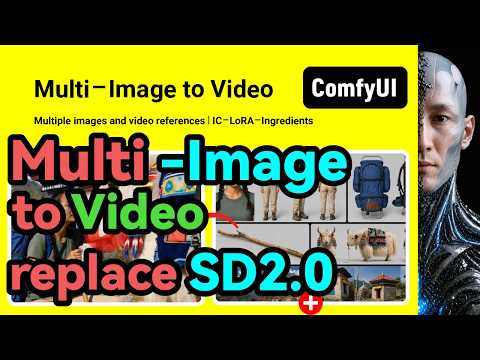 8:242:33Multi-image to video generation with LTX 2.3 and IC-LoRAThe creator demonstrates how to use a ComfyUI workflow to generate video from multiple reference images using LTX 2.3, explaining how to align image sizes and write descriptions for each reference frame.WuYangfeng
 5:244:57Image-to-video generation with Wan 2.2The user demonstrates how to use the Wan 2.2 GGUF model in ComfyUI to animate a static image of a woman based on a detailed text prompt.pixaroma
 0:171:00LTX-2 Image-to-Video distilled workflow setupThe demonstrator walks through loading the LTX-2 distilled checkpoint, upscaling models, and Gemma CLIP text encoder, while configuring resolution and frame rates for video generation.LTX
 6:300:17Advanced multi-node AI workflowsThe video shows a complex Roboneo setup where an image is generated, passed through an image editing node, and finally converted into a video.Malva AI
 10:012:01Image-to-Video generation using Hunyuan 1.5 DistilledThe user demonstrates an I2V workflow in ComfyUI using the Hunyuan 1.5 distilled model, Google's Clip Vision for image encoding, and the 'image to video' node to animate a portrait.AI老腊肉
 7:500:28Image-to-Video action testThe creator demonstrates image-to-video capabilities by uploading a static image and prompting for an intense fight scene in both Hunyuan and Wan models.AI Search
- 24:303:12Image-to-Video workflow in ComfyUIA demonstration of the image-to-video workflow in ComfyUI, including uploading a source image, setting crop dimensions, and generating an animated anime scene.AI Search
 23:511:57Animate 3D renders with Wan 2.1The creator walks through a Wan 2.1 video generation workflow in ComfyUI, using the Painterly I2V node to control motion speed and animate a static 3D render.Matt Hallett Visual
 5:064:11Animate an image using Wan 2.1 in ComfyUIThe creator demonstrates loading a 'native image to video' workflow in ComfyUI, uploading a source image, and using the Wan 2.1 14B model to generate a high-quality video of a woman walking.Danish Sofi
- 10:201:00Generate AI video of a horse with Wan 2.1A second demonstration showing the image-to-video process where a static image of a horse is animated into a walking sequence using the Wan 2.1 model in ComfyUI.Danish Sofi