ComfyUI: Multi-image to video generation with LTX 2.3 and IC-LoRA
 ComfyUI
Demo summary
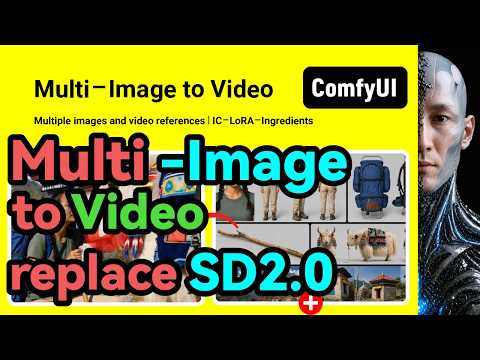
The creator demonstrates how to use a ComfyUI workflow to generate video from multiple reference images using LTX 2.3, explaining how to align image sizes and write descriptions for each reference frame.
Step-by-step
- Upload reference images to the workflow
- Ensure the size of the uploaded reference images matches the final video output size
- Describe each reference image in the prompt (e.g., top left image, middle left image)
- Write a description for the final generated video
- Adjust the frame rate to the default optimal 24 frames per second
- Set the video duration up to 30 seconds if desired
Options
- Write prompts in either Chinese or English
- Adjust video length up to 30 seconds
Watch out for
- Reference image dimensions must be consistent with the final generated video size
- Longer video durations are limited by your hardware's video memory
Tips
- Use English for prompts as the effect might be better than Chinese
- Stick to 24 frames per second for optimal performance
Highlights
“This workflow is perfect and extremely”
Image to Video
 10:194:27Image-to-Video with LTX 2.3The creator demonstrates bringing a static image of a vampire warlord to life by using an image input node and a descriptive prompt to guide the animation and environmental effects.AIKnowledge2Go
 3:070:38Image to Video with LTX DirectorThe creator demonstrates dragging an image into the LTX Director timeline and entering a text prompt to generate a video of a woman waving her hand.What Dreams Cost
- 8:242:33Multi-image to video generation with LTX 2.3 and IC-LoRACurrentThe creator demonstrates how to use a ComfyUI workflow to generate video from multiple reference images using LTX 2.3, explaining how to align image sizes and write descriptions for each reference frame.WuYangfeng
 5:244:57Image-to-video generation with Wan 2.2The user demonstrates how to use the Wan 2.2 GGUF model in ComfyUI to animate a static image of a woman based on a detailed text prompt.pixaroma
 0:171:00LTX-2 Image-to-Video distilled workflow setupThe demonstrator walks through loading the LTX-2 distilled checkpoint, upscaling models, and Gemma CLIP text encoder, while configuring resolution and frame rates for video generation.LTX
 6:300:17Advanced multi-node AI workflowsThe video shows a complex Roboneo setup where an image is generated, passed through an image editing node, and finally converted into a video.Malva AI
 10:012:01Image-to-Video generation using Hunyuan 1.5 DistilledThe user demonstrates an I2V workflow in ComfyUI using the Hunyuan 1.5 distilled model, Google's Clip Vision for image encoding, and the 'image to video' node to animate a portrait.AI老腊肉
 7:500:28Image-to-Video action testThe creator demonstrates image-to-video capabilities by uploading a static image and prompting for an intense fight scene in both Hunyuan and Wan models.AI Search
- 24:303:12Image-to-Video workflow in ComfyUIA demonstration of the image-to-video workflow in ComfyUI, including uploading a source image, setting crop dimensions, and generating an animated anime scene.AI Search
 23:511:57Animate 3D renders with Wan 2.1The creator walks through a Wan 2.1 video generation workflow in ComfyUI, using the Painterly I2V node to control motion speed and animate a static 3D render.Matt Hallett Visual
 5:064:11Animate an image using Wan 2.1 in ComfyUIThe creator demonstrates loading a 'native image to video' workflow in ComfyUI, uploading a source image, and using the Wan 2.1 14B model to generate a high-quality video of a woman walking.Danish Sofi
- 10:201:00Generate AI video of a horse with Wan 2.1A second demonstration showing the image-to-video process where a static image of a horse is animated into a walking sequence using the Wan 2.1 model in ComfyUI.Danish Sofi