Creating t-shirt graphics with Kittl AI Vector Art

 Kittl
Kittl
Demo summary
The user generates a complex 'heaven and hell' scene using Kittl AI's vector art style, specifically choosing it for its scalability and print-readiness.
Step-by-step
- Open Kittl AI
- Enter a detailed prompt describing the scene, including specific elements like characters, separation of realms, and art style
- Select the Vector Art style from the available options
- Change the color to white
- Generate the image
Options
- Pencil drawing clip art style
- Grunge texture overlay
Tips
- Use the Vector Art style for t-shirt graphics as it is specifically made for print-readiness
- Include specific stylistic keywords like 'detail line art style' in your prompt for better results
Highlights
“Other one's going to be more t-shirt print friendly. So, I would probably go with the vector one. It's already made for print, too.”
All demos from “Making Clothing Brand Designs Just Got EASIER With Kittl's New Tools”
- 1:500:36Generating vector icons with Kittl AIThe user demonstrates using the Kittl AI vector style generator to create a custom cross icon from a text prompt and then recoloring it.Kittl· Image to Vector
- 6:440:58Creating t-shirt graphics with Kittl AI Vector ArtCurrentThe user generates a complex 'heaven and hell' scene using Kittl AI's vector art style, specifically choosing it for its scalability and print-readiness.Kittl· Image to Vector
- 7:450:56Vectorizing images in KittlThe demonstration shows how to take a non-vector AI generation, remove the background, and use the 'vectorize' tool to limit the color palette for screen printing.Kittl· Image to Vector
- Watch “Making Clothing Brand Designs Just Got EASIER With Kittl's New Tools” →
Image to Vector
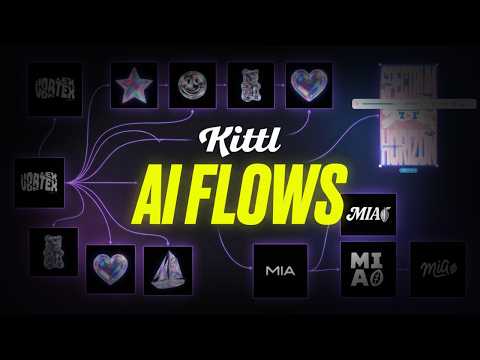 4:192:17Convert AI images to editable vectors in KittlThe video shows the process of taking an AI-generated logo, removing the background, and using the 'Vectorize' tool to create a fully scalable vector with editable nodes.Kittl
- 1:500:36Generating vector icons with Kittl AIThe user demonstrates using the Kittl AI vector style generator to create a custom cross icon from a text prompt and then recoloring it.Hustle Ninjas
- 6:440:58Creating t-shirt graphics with Kittl AI Vector ArtCurrentThe user generates a complex 'heaven and hell' scene using Kittl AI's vector art style, specifically choosing it for its scalability and print-readiness.Hustle Ninjas
- 7:450:56Vectorizing images in KittlThe demonstration shows how to take a non-vector AI generation, remove the background, and use the 'vectorize' tool to limit the color palette for screen printing.Hustle Ninjas
 1:32:340:51Vectorize images for color editingShows how to take a flat PNG image and use the Vectorizer to turn it into editable color paths.Kittl