Generate a base portrait in Midjourney

 Midjourney
Demo summary
The user demonstrates uploading a reference image and using a specific prompt in Midjourney v7 to generate a base portrait for further editing.
Step-by-step
- Select Midjourney version 7
- Upload the model reference image to the Omni reference tab
- Set the strength to 300
- Paste in the prompt
- Generate the images
- Download the preferred portrait to use as a base
Tips
- Look for portraits with good framing and solid lighting
- Don't worry if the skin looks plastic or too smooth at this stage
- Aim for uniform skin in the base image as it provides more room for realistic texture corrections later
Highlights
“this gives us the perfect starting point”
All demos from “Fix AI Plastic Skin INSTANTLY (Billboard-Ready Portraits)”
- 1:401:04Generate a base portrait in MidjourneyCurrentThe user demonstrates uploading a reference image and using a specific prompt in Midjourney v7 to generate a base portrait for further editing.Midjourney· Image to Image
- 2:441:01Generate a portrait using Image Gen 4 via WhiskThe creator walks through the Google Whisk interface, uploading a subject reference and setting aspect ratios to generate a portrait using the Image Gen 4 model.Google Whisk· AI Image Generator
- 3:471:05Generate fashion portraits with ReeveThe video shows the Reeve interface (preview.reve.art) and demonstrates generating a high-detail fashion portrait using a text prompt.Reeve· Text to Image
- 4:520:47Generate portraits with Flux Pro on FALThe user demonstrates accessing Flux Pro V1.1 Ultra via the FAL platform to generate a portrait from a text prompt.fal.ai· Text to Image
- 6:233:59Fix AI skin texture with Enhancer AIThe creator demonstrates using Enhancer AI to add realistic skin pores and texture to an AI-generated image using the 'Skin Texture Adjuster' and 'Skin Realism Level' sliders.Enhancer AI· AI Image/Photo Enhancer
- 11:291:19Upscale portraits with Enhancer AIThe video shows the 'Professional' upscale mode in Enhancer AI, demonstrating how it increases clarity in the eyes, iris, and lips while maintaining skin texture.Enhancer AI· AI Image Upscaler
- Watch “Fix AI Plastic Skin INSTANTLY (Billboard-Ready Portraits)” →




Image to Image
 8:410:47Style referencing in MidjourneyThe user demonstrates dragging an image into the Midjourney prompt bar to use as a style reference for generating a consistent polar bear scene.Tao Prompts
 15:290:39Maintain visual style using image referencesThe narrator demonstrates an iterative process of using a previously generated AI image as a style reference to create a matching environment shot of a dragon.Tao Prompts
 2:000:31Using Style References in MidjourneyThe narrator demonstrates how to drag an image into the Midjourney prompt bar and use the paperclip icon to apply its lighting and aesthetic to a new generation.Futurepedia
- 1:401:04Generate a base portrait in MidjourneyCurrentThe user demonstrates uploading a reference image and using a specific prompt in Midjourney v7 to generate a base portrait for further editing.Sirio
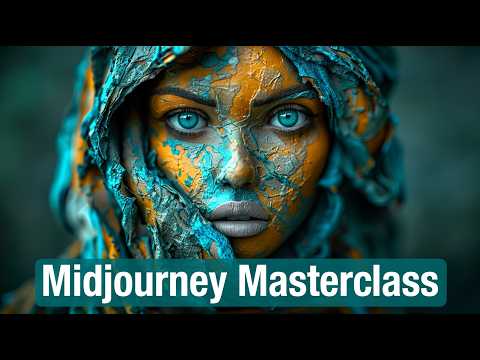 34:011:35Using Image Prompts and WeightsDemonstrates dragging an image into the prompt bar to use as a structural reference and adjusting its influence with the --iw parameter.Futurepedia