Kora Reality: Create consistent characters with Nano Banana 2
 Kora Reality
Demo summary
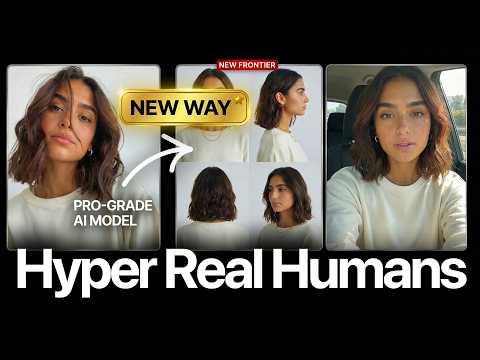
The demo shows how to use Nano Banana 2 to place a consistent AI character into a new scene with specific props (AG1 bottle) and outfits (Lululemon) using image references.
Step-by-step
- Go to Image Editing and select Nano Banana 2.
- Upload the upscaled influencer image as the character reference.
- Upload reference images for the specific product (AG1 bottle) and outfit (Lululemon).
- Write a simple descriptive prompt detailing the character's actions and attire.
- Select a preset from the Filters section to achieve a specific look.
- Set the aspect ratio to 9:16.
- Click Generate.
Options
- Use the 'iPhone selfie' or 'mirror' filters for a low-fidelity look.
- Choose from various style presets to change the aesthetic of the output.
Tips
- Use a simple prompt without JSON for this specific workflow.
- Select low-fidelity filters if you are aiming for a realistic UGC (User Generated Content) look.
Highlights
“Very simple. We're going to drop in our picture... and we're simply just going to write a prompt.”
All demos from “She Isn't Real (The ULTIMATE Al Influencer Tutorial)”
- 2:160:36Generate realistic AI influencer images with Kora RealityThe creator demonstrates using Kora Reality within the Enhancor platform to generate a hyper-realistic image of an influencer using a JSON-structured text prompt.Kora Reality· AI Realistic Image Generator
- 2:521:04Copy image style with Kora Reality and Qwen 2-VLThe demo shows how to upload a reference photo from Pinterest to Kora Reality, which uses Qwen 2-VL to analyze and replicate the style for a new AI generation.Kora Reality· AI Style Transfer
- 7:580:22Upscale images to 4K using Crisp UpscalerThe video shows the process of uploading an image to the Enhancor upscale tab and using the Crisp Upscaler to increase resolution and sharpness.Enhancor· AI Image Upscaler
- 8:500:32Fix skin texture with Enhancor V4 UpscalerThe creator demonstrates the Enhancor V4 model, which specifically targets skin pores and micro-textures to make AI-generated faces look more human.Enhancor· AI Image/Photo Enhancer
- 10:041:15Create consistent characters with Nano Banana 2CurrentThe demo shows how to use Nano Banana 2 to place a consistent AI character into a new scene with specific props (AG1 bottle) and outfits (Lululemon) using image references.Kora Reality· AI Person Generator
- 13:580:44Generate iPhone-style video with Enhancor V4 VideoThe creator demonstrates turning a static image into a handheld-style 'selfie' video using the Enhancor V4 video generator model.Enhancor· Image to Video
- 17:020:28Motion transfer with Kling AIThe creator shows how to use Kling Motion Transfer to map the movements from a real 'driving video' of himself onto a static AI influencer image.Kling AI· Image to Video
- Watch “She Isn't Real (The ULTIMATE Al Influencer Tutorial)” →

AI Person Generator
- 10:041:15Create consistent characters with Nano Banana 2CurrentThe demo shows how to use Nano Banana 2 to place a consistent AI character into a new scene with specific props (AG1 bottle) and outfits (Lululemon) using image references.Sirio