Filmora: Enhance voice clarity with AI Voice Enhancer
 Filmora
Demo summary
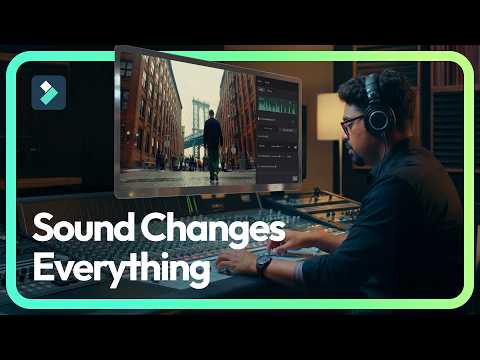
The presenter demonstrates toggling on the AI voice enhancer in Filmora's audio settings to remove background noise and improve dialogue clarity.
Step-by-step
- Select the audio clip in the timeline
- Navigate to the Audio settings tab
- Toggle on the AI voice enhancer
Tips
- Use the AI voice enhancer to strip away digital chaos instead of manually adjusting complex frequencies
Highlights
“Instead of messing with complex frequencies, you could just go to audio and toggle on the AI voice enhancer.”
AI Audio Enhancer & Noise Reduction
 0:080:36Remove background noise in Wondershare FilmoraThe narrator walks through importing media, selecting the audio clip, and enabling the AI voice enhancer and denoise settings within Wondershare Filmora to improve audio quality.YouTube Video Editing Services
 0:220:38Remove background noise with Filmora AI Audio DenoiseThe narrator demonstrates importing a video, navigating to the audio settings panel in Filmora, and enabling the AI audio denoise toggle to automatically reduce background noise.YouTube Video Editing Services
 1:122:01Remove background noise with Wondershare FilmoraThe narrator demonstrates how to right-click a video clip, select 'Adjust Audio', and enable the 'AI Voice Enhancer' and 'Voice Clarity' settings in Wondershare Filmora to remove background noise.WareData
 0:331:18Reduce background noise with Filmora DenoiseThe narrator demonstrates how to open a project in Filmora, access the audio settings panel by double-clicking a video, and toggle the 'Denoise' feature to filter out ambient sounds.unknown
 11:530:51AI Denoise and background noise removalThe demonstrator shows how to enable AI Denoise and manual noise reduction settings to remove background hiss from a recording.Computer With Vishal Sharma
 1:220:44Enhance audio with AI Enhancer in Filmora 14The demonstrator navigates to the audio tab and applies the AI Enhancer tool to automatically improve voice clarity and beautification.Nishant One
- 3:400:50Noise and wind removal in Filmora 14The demonstration covers enabling specific audio cleanup tools including Wind Removal, De-reverb, Normal De-noise, and Hiss Removal to clean up outdoor recordings.Nishant One
- 2:530:19Enhance voice clarity with AI Voice EnhancerCurrentThe presenter demonstrates toggling on the AI voice enhancer in Filmora's audio settings to remove background noise and improve dialogue clarity.Wondershare Filmora Video Editor