Generating cinematic prompts with Claude

 Claude
Demo summary
The user demonstrates a multi-prompt framework in Claude to transform a vague scene description into a detailed multi-shot prompt for AI video generation.
Step-by-step
- Paste the multi-prompt framework into Claude
- Upload a key visual reference image for the scene
- Fill in the character, action, location, and time of day in the framework's description section
- Send the prompt to Claude to generate the detailed multi-shot description
- Copy the generated text including camera moves and lens details
- Paste the output into the prompt section of your video generation tool
Options
- Use ChatGPT or Gemini instead of Claude
- Provide a very vague scene description or a more detailed one
Tips
- Upload a key visual reference to get the best results from the framework
- Focus only on filling out the character, action, location, and time of day sections of the framework
Highlights
“That's how useful this is. All we need to do is go ahead and copy this and then we can head back over to Higgsfield”
All demos from “How to Use Seedance 2.0 for AI Filmmaking (Full Workflow)”
- 3:381:17Setting up a scene in Sea Dance 2The creator navigates the Higgsfield UI to access Sea Dance 2, uploads a key visual image reference, and adds a character sheet to maintain consistency.Higgsfield· AI Animation Generator
- 4:552:02Generating cinematic prompts with ClaudeCurrentThe user demonstrates a multi-prompt framework in Claude to transform a vague scene description into a detailed multi-shot prompt for AI video generation.Claude· AI Video Prompt Generator
- 15:480:42Upscaling AI video to 4KThe creator shows how to use the Higgsfield video upscaler, selecting Topaz Video, 4K scale factor, and frame interpolation to enhance the 720p output.Higgsfield· AI Video Upscaler
- Watch “How to Use Seedance 2.0 for AI Filmmaking (Full Workflow)” →

AI Video Prompt Generator
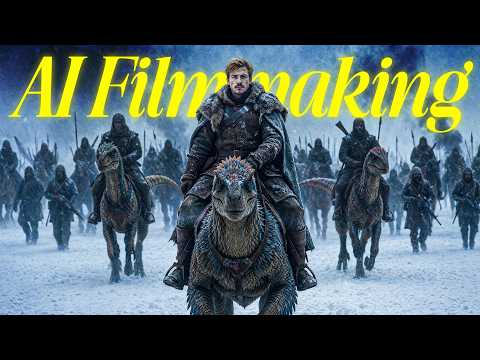 14:071:09Timeline prompting for video generationThe creator demonstrates taking a screenshot of image references, uploading them to Claude, and generating a 'timeline prompt' that describes specific actions across different timestamps for the AI video model.Dan Kieft
- 16:100:23Generate Chinese prompts for SeedanceDan demonstrates using Claude to translate and optimize video prompts into Chinese to achieve better results with the Seedance model.Dan Kieft
- 4:552:02Generating cinematic prompts with ClaudeCurrentThe user demonstrates a multi-prompt framework in Claude to transform a vague scene description into a detailed multi-shot prompt for AI video generation.Jack Vs. AI
 2:260:46Generate shot-by-shot animation prompts with ClaudeThe creator walks through feeding scene descriptions and images into Claude to generate complex, shot-by-shot prompts specifically formatted for the Cadenze animation model.Higgsfield AI