Camtasia Audiate: Import and text-based video editing in Audiate

 Camtasia Audiate
Demo summary
The narrator demonstrates importing a video file into Camtasia Audiate, using the automatic transcription to delete sections of video by selecting text, and adjusting the video preview UI.
Step-by-step
- Open a blank project and click Import a File
- Select your video file to begin the automatic transcription
- Use Suggested Edits to shorten pauses or remove hesitation words like 'umms' and 'ahhs'
- Click and drag to select text segments you want to remove
- Press Delete to cut the selected video sections
- Adjust the dividing line to resize the video preview or use the toggle to hide it
- Export the final video to Camtasia or as a local file
Options
- Export directly to Camtasia for larger projects
- Export as a local file on your computer
- Hide the video preview entirely using the lower-right toggle
Watch out for
- Longer videos may take a few minutes for the transcription process to complete
Tips
- Use text transcription to quickly cut down long meeting recordings or unscripted screencasts
- Restore any accidental cuts by clicking the cut marker and choosing Restore
Highlights
“text transcription makes it so easy to cut down long videos... Edits like this used to take hours. And now, only take minutes.”
All demos from “Import and Edit a Video in Camtasia Audiate”
- 0:061:35Import and text-based video editing in AudiateCurrentThe narrator demonstrates importing a video file into Camtasia Audiate, using the automatic transcription to delete sections of video by selecting text, and adjusting the video preview UI.Camtasia Audiate· AI Video Editor
- 1:410:25Combine multiple videos in AudiateThe user shows how to append additional video files to an existing project using the File Import menu to create a single combined file.Camtasia Audiate· AI Video Editor
- Watch “Import and Edit a Video in Camtasia Audiate” →
AI Video Editor
 3:001:15Exporting SRT subtitles from Camtasia AudiateThe user navigates the file menu to export the script, selects the SRT subtitle format from the dropdown menu, and saves the file to his computer.David Mbugua
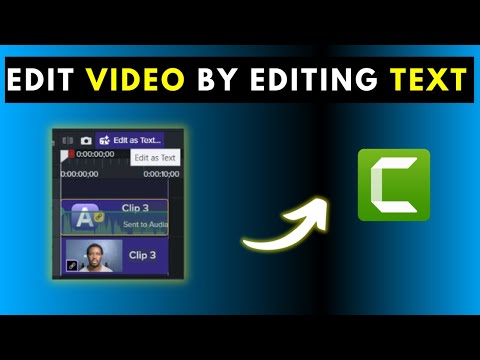 3:190:32Editing video by deleting text in Camtasia AudiateThe user demonstrates selecting specific phrases in the transcript and pressing delete to automatically remove the corresponding video segments.David Mbugua
- 3:510:45Syncing Audiate edits back to CamtasiaThe presenter uses the 'Camtasia Sync' button to save the Audiate project and shows how the edits and cuts are automatically reflected on the Camtasia timeline.David Mbugua
 2:051:28Review and edit transcripts in Camtasia AudiateThe narrator demonstrates how to play back the transcribed video, toggle the waveform view, and enter 'script editing mode' to manually adjust the text.David Mbugua
 4:411:26Exporting AI avatar video from AudiateThe user demonstrates the export process, selecting MP4 format, adjusting quality to high, setting dimensions to HD, and saving the file to a local drive.The Paul Wilson Project
 0:031:08Exporting audio from Audiate to CamtasiaThe narrator demonstrates the workflow of using the 'Export to Camtasia' menu in Audiate, showing how to choose between the Media Bin and Timeline options to sync audio with a video project.Editify
 5:070:34Exporting avatar video from AudiateThe demonstration shows how to configure export settings including file format, frame rate, and quality, as well as the option to send the project directly to Camtasia.Learning and Technology with Frank
 1:560:41Shorten pauses and review edits with FindThe narrator shows how to specify pause lengths for shortening and uses the 'Find' tool to navigate through isolated words and silence or delete them.Camtasia
- 0:061:35Import and text-based video editing in AudiateCurrentThe narrator demonstrates importing a video file into Camtasia Audiate, using the automatic transcription to delete sections of video by selecting text, and adjusting the video preview UI.Camtasia
- 1:410:25Combine multiple videos in AudiateThe user shows how to append additional video files to an existing project using the File Import menu to create a single combined file.Camtasia