Composite 3D objects into video with Runway Aleph

 Runway
Demo summary
The tool is shown taking a static image of a UFO and realistically compositing it into a video clip, including complex lighting interactions with foreground plants.
All demos from “This is THE FUTURE of Video Editing & VFX!! DaVinci Resolve VS AI”
- 2:440:53Remove objects and people with Runway AlephThe creator demonstrates using simple text prompts in Runway Aleph to remove a person, a van, and a car from moving video footage, showing how the AI fills in the background.Runway· AI Video Editor
- 4:030:55Add realistic explosions using Runway AlephRunway Aleph is shown adding cinematic explosions and meteor strikes to existing landscape footage while maintaining camera movement and scene integrity.Runway· AI Video Editor
- 6:230:48Composite 3D objects into video with Runway AlephCurrentThe tool is shown taking a static image of a UFO and realistically compositing it into a video clip, including complex lighting interactions with foreground plants.Runway· Image to Video
- 8:420:48Change weather and lighting with Runway AlephThe demo shows Runway Aleph transforming a sunny desert into a snowstorm and converting daylight footage into a sunset or nighttime scene with realistic light interaction on clothing.Runway· Video to Video
- 9:570:45Change camera angles using Runway AlephThe creator demonstrates the model's ability to generate a completely different camera angle of a subject from a single original video shot.Runway· Video to Video
- Watch “This is THE FUTURE of Video Editing & VFX!! DaVinci Resolve VS AI” →
Image to Video
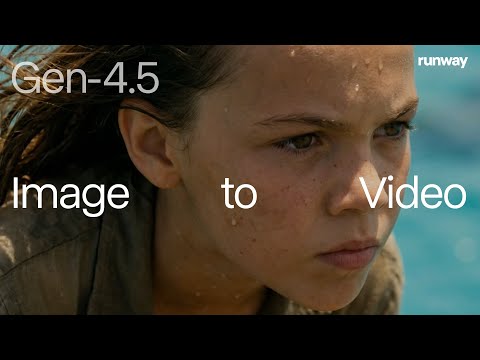 0:120:57Animate static images with Runway Gen-4.5The video demonstrates Runway Gen-4.5 converting various image types—including sketches, renders, and photos—into high-fidelity video sequences with complex camera movements and character consistency.Runway
 3:110:56Animate a real-world object in a new environment with Runway Gen-4The user takes a photo of a physical wooden toy and uses Runway Gen-4 to composite it into a photo of New York City, then applies motion to animate people walking in front of the toy.Runway
 0:140:19Animate images with Gen-3 Alpha Image to VideoThe video demonstrates uploading an image to the Runway dashboard and using Gen-3 Alpha to generate a video without additional prompt guidance.Runway
- 0:330:26Guide video generation with text prompts and camera movementThe user demonstrates adding text prompts and camera movement instructions to an image upload in Runway Gen-3 Alpha to control the resulting video animation.Runway
 2:482:06Video generation with Gen-4 TurboThe video shows the process of generating a 5-second cinematic video of a running horse using an image reference and a detailed text prompt in Runway's Gen-4 Turbo model.Skills Factory
- 7:320:59Portrait video generation with Gen-3 Alpha TurboThe user demonstrates uploading a portrait image and using a text prompt to generate a 10-second vertical video using the Gen-3 Alpha Turbo model.Skills Factory
 3:230:40Animate images with Runway MLThe user demonstrates generating a horizontal image and then using Runway Gen-2 (referred to as video 1.5) with motion prompts and the prompt enhancer to animate it.Malva AI
- 6:230:48Composite 3D objects into video with Runway AlephCurrentThe tool is shown taking a static image of a UFO and realistically compositing it into a video clip, including complex lighting interactions with foreground plants.Joris Hermans
 1:131:20Animate images with Runway Gen-3 Alpha TurboThe creator demonstrates how to upload an image of a man running, select the Gen-3 Alpha Turbo model (misidentified as 4.5), set aspect ratios, and configure generation length up to 10 seconds.Curious Refuge
 2:190:53Create dynamic zoom-in videos from character stillsThe demo shows how to use video keyframe nodes in Runway to transition between a wide shot and a close-up image to create a seamless expressive video.Runway
 25:191:31Generating 1080p AI video in RunwayThe host demonstrates selecting the 1080p resolution setting in Runway's credit mode to generate high-definition video from a Midjourney reference image.Curious Refuge
 3:550:22Create transition frames with RunwayThe user shows how to upload a generated frame to Runway's image model and use a prompt to create a specific transition shot of a hand holding a glass.Laodis at Argil