Generating podcast thumbnails with Riverside AI
 Riverside
Demo summary
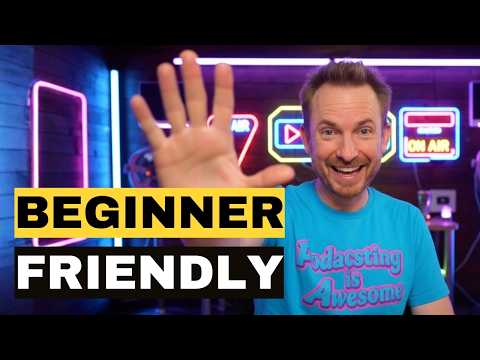
A demonstration of using Riverside's AI co-creator to generate multiple YouTube thumbnail options by selecting a conversation style and title.
Step-by-step
- Open the Edit view in Riverside
- Access the Co-creator chat assistant
- Type 'make a thumbnail for this episode' into the chat
- Select a thumbnail style, such as 'Open a conversation'
- Choose a title option for the thumbnail
- Review the generated thumbnail options
Options
- Select from different conversation styles for the visual layout
- Choose between different AI-suggested titles
Tips
- Use the generated thumbnails for your show on YouTube
Highlights
“This is incredible. All those thumbnails generated using AI look fantastic”
All demos from “Podcast Editing Software - Best Options for Beginners”
- 1:041:53Editing and normalizing audio in AudacityThe host demonstrates how to use zoom tools, delete gaps across multiple tracks, and apply a normalization effect to audio waveforms in Audacity.Audacity· AI Audio Editor
- 6:402:39AI-powered editing and audio enhancement in RiversideThe host uses Riverside's AI tools to automatically remove pauses and filler words, performs text-based deletions, and applies 'Magic Audio' to improve guest recording quality.Riverside· AI Video Editor
- 9:480:43Generating podcast thumbnails with Riverside AICurrentA demonstration of using Riverside's AI co-creator to generate multiple YouTube thumbnail options by selecting a conversation style and title.Riverside· AI Image Generator
- 11:492:12Text-based editing and audiogram creation in Adobe PodcastThe host demonstrates uploading a file to Adobe Podcast for real-time transcription, editing audio by deleting text, and creating a styled audiogram video for social media.Adobe Audition· AI Audio Editor
- Watch “Podcast Editing Software - Best Options for Beginners” →


AI Image Generator
- 9:480:43Generating podcast thumbnails with Riverside AICurrentA demonstration of using Riverside's AI co-creator to generate multiple YouTube thumbnail options by selecting a conversation style and title.Mike Russell