Assign and sync character voices in Kling AI
 Kling AI
Demo summary
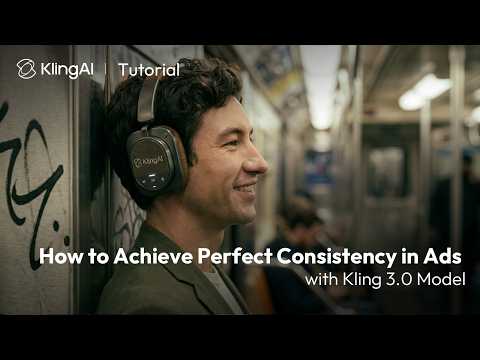
This clip demonstrates how to assign preset or custom voices to characters and products using Kling AI's voice binding and automatic matching features.
All demos from “How to Achieve Perfect Consistency in Ads with Kling 3.0 Model | Tutorial”
- 0:240:26Maintain subject consistency in Kling 3.0The video demonstrates how to use the 'bind elements' and 'AI multi-shot' features in Kling 3.0 to keep products and characters consistent by uploading start/end frames and multiple renders.Kling AI· AI Video Generator
- 0:500:17Keep logos and text consistent with Kling 3.0The user shows how to maintain readable logos on products by binding the subject and using specific prompt instructions within the Kling AI interface.Kling AI· AI Video Generator
- 1:070:24Assign and sync character voices in Kling AICurrentThis clip demonstrates how to assign preset or custom voices to characters and products using Kling AI's voice binding and automatic matching features.Kling AI· AI Lip Sync Generator
- 1:350:13Create time-lapse scene consistency in Kling 3.0The tutorial explains how to use specific keywords like 'static camera' and 'long time-lapse' in Kling 3.0 to maintain scene consistency while showing lighting changes.Kling AI· Text to Video
- Watch “How to Achieve Perfect Consistency in Ads with Kling 3.0 Model | Tutorial” →
AI Lip Sync Generator
 10:570:32Lip sync animation in Kling AIThe demonstration shows how to use the 'Lip Sync' feature in Kling AI by uploading a local audio file to match a character's mouth movements to the dialogue.Emmanuel Crown
 9:361:35Advanced character animation with Kling AIThe video demonstrates using Kling AI to upload an image and audio, using prompts to define specific energetic gestures and lip-syncing for a 3D character.Emmanuel Crown
 5:231:09Lip-syncing characters with ElevenLabs and KlingThe tutorial shows how to generate a professional voiceover in ElevenLabs and upload it to Kling AI to create a realistic talking head video.Roboverse
 21:551:50Video-to-video lip-sync with Kling AIA demonstration of Kling AI's lip-sync tool where audio is added to a pre-generated video of a character leaning back in a chair.Tao Prompts
- 1:070:24Assign and sync character voices in Kling AICurrentThis clip demonstrates how to assign preset or custom voices to characters and products using Kling AI's voice binding and automatic matching features.Kling AI