Higgsfield: Creating and Stitching Cinematic AI Video Ads

 Higgsfield
Demo summary
The user demonstrates the video workflow, selecting anchor frames for visual consistency and using the tool's built-in FFmpeg integration to automatically stitch clips into a 30-second ad.
Step-by-step
- Select a variant for each character and location from the generated options
- Review the generated anchor frames to verify blocking and lighting consistency
- Wait for the tool to render the 10-second video clips
- Allow the system to automatically stitch the clips into a 30-second deliverable using the background FFmpeg integration
Options
- Request a second pass of location variants if the initial results lack realism
Watch out for
- The tool generates anchor frames to lock blocking and lighting before any video rendering begins
Tips
- Use the 'try again' feature if the first set of locations doesn't look real or right
- Leverage the anchor frames to ensure continuity of faces, outfits, and environments across multiple video chunks
Highlights
“The auto stitch is the part I want to underline. Most AI video tools give you raw outputs and leave the assembly to you. This one assembled it.”
All demos from “Higgsfield Supercomputer: What This AI Agent Got Right And Where You Still Take Over”
- 8:041:29Creating and Stitching Cinematic AI Video AdsCurrentThe user demonstrates the video workflow, selecting anchor frames for visual consistency and using the tool's built-in FFmpeg integration to automatically stitch clips into a 30-second ad.Higgsfield· AI Commercial Generator
- 11:010:31Using Image References for Video GenerationThe user uploads a reference image of the Canadian Rockies into Higgsfield to ground the AI's video generation in a specific, realistic location.Higgsfield· Image to Video
- Watch “Higgsfield Supercomputer: What This AI Agent Got Right And Where You Still Take Over” →
AI Commercial Generator
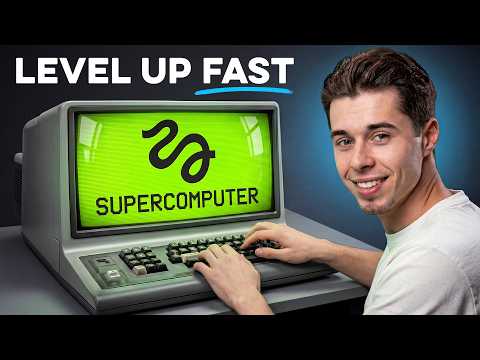 4:351:09Create consistent character videos using Soul IDThe video shows how to select a custom character created in Soul ID and use it within Higgsfield Supercomputer to generate a consistent video ad for a product.Roboverse
- 10:141:20Generate a cinematic TV ad from a storyboardThe user demonstrates a two-step workflow using 'storyboard generation' to plan shots followed by the 'TV ad' skill to produce a high-quality cinematic commercial.Roboverse
 7:340:38Creating a cinematic product ad videoThe creator demonstrates the final step of an ad workflow by connecting a generated shoe image to a Kling 3.0 video node with a manual motion prompt.RandomAI
 7:452:42Create a multi-shot commercial using Seedance 2 skillThe creator uses the Seedance 2 Multi-shot Prompter skill within Higgsfield Supercomputer to turn generated images into a high-energy video commercial, including a troubleshooting step using Gemini to fix video errors.Thomas Lundström
 8:111:49Create a product commercial from a URLHiggsfield uses GPT 5.5 Pro to analyze a Lenovo laptop product link, extract images, and generate a 30-second professional video ad with fast-paced editing.Dom the AI Tutor | Tech Tutor Zones
- 10:171:10Compare AI models for video orchestrationThe user demonstrates the same product ad task using Claude Sonnet 4.6 within Higgsfield to show the difference in creative style and orchestration output.Dom the AI Tutor | Tech Tutor Zones
 9:370:46Create product end cards and transitions in HiggsfieldThe demonstration shows how to combine an end card image with video generation to create a professional transition from a lifestyle scene to a product showcase.Isa does AI
 4:380:38Create AI marketing ads with HiggsfieldThe demonstration shows Higgsfield Marketing Studio being used to upload a product image and an avatar to generate a realistic video advertisement using the C Dance 2.0 model.Malva AI
 6:251:01Create video ads from scripts using HiggsfieldThe demonstration shows how to command the AI to use a previously generated script and image to produce a final 30-second video ad with b-roll and music.Mariana Montoya
  6:030:29Create a TV spot ad with Marketing StudioThe video shows the process of using reference images of a person and a product to generate a 15-second commercial using the Higgsfield Marketing Studio feature.Roboverse
- 8:041:29Creating and Stitching Cinematic AI Video AdsCurrentThe user demonstrates the video workflow, selecting anchor frames for visual consistency and using the tool's built-in FFmpeg integration to automatically stitch clips into a 30-second ad.Teacher's Tech