Text-to-video with audio sync in Vidu Q3

 Vidu
Vidu
Demo summary
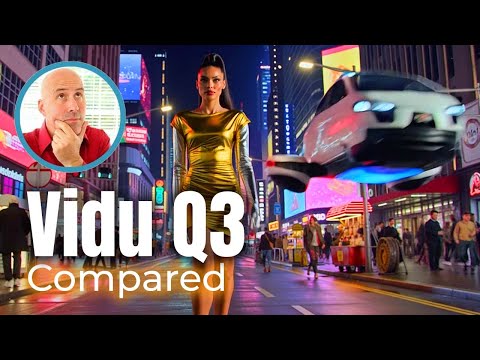
The user enters a text prompt for a cinematic New York scene and uses Vidu Q3 to generate a 16-second video with integrated sound effects and multi-shot camera control.
Step-by-step
- Select the Vidu Q3 model
- Enter a text prompt describing the scene
- Set the video duration to 16 seconds
- Select the 1080p output resolution
- Choose the desired aspect ratio
- Click Create
Options
- Multi-shot camera control
- Voice control and lip sync
- In-video text rendering
Highlights
“Just crazy.”
All demos from “Vidu AI – Q3 Audio-Visual Sync & Q2 Pro Reference-to-Video Deep Dive”
- 0:470:52Text-to-video with audio sync in Vidu Q3CurrentThe user enters a text prompt for a cinematic New York scene and uses Vidu Q3 to generate a 16-second video with integrated sound effects and multi-shot camera control.Vidu· Text to Video
- 3:070:37Image-to-video camera control in Vidu Q3The creator uploads a static image of a coffee bar and uses Vidu Q3 to generate a video with a slow tracking camera movement.Vidu· Image to Video
- 3:580:35Reference-to-video character consistency in Vidu Q2 ProUsing Vidu Q2 Pro, the user combines multiple reference images (a bar, a person in red jeans, and a laptop) to generate a consistent video scene.Vidu· Image to Video
- 4:330:31Video editing and object replacement in Vidu Q2 ProThe user uploads an existing video and uses a text prompt to remove a laptop and replace it with a newspaper using the Vidu Q2 Pro model.Vidu· Video to Video
- Watch “Vidu AI – Q3 Audio-Visual Sync & Q2 Pro Reference-to-Video Deep Dive” →
Text to Video
- 0:470:52Text-to-video with audio sync in Vidu Q3CurrentThe user enters a text prompt for a cinematic New York scene and uses Vidu Q3 to generate a 16-second video with integrated sound effects and multi-shot camera control.Eigi and AI
 4:561:12Generate 16-second synced video and audio with Vidu Q3The creator uses the Vidu Q3 text-to-video tool to generate a 16-second cinematic clip of a scientist with perfectly synced lip-sync, sound effects, and emotional narration from a single prompt.Jon Law
  2:320:28Multi-shot camera transitions in Vidu AIThe demo shows how to describe camera angle changes (wide shot to close-up) within a single prompt to generate a continuous video with smooth transitions and dialogue.Ninja Tech
 2:010:31Generate video of a person in a mirror with Vidu Q3A demonstration of Vidu Q3 generating a video from a text prompt involving a person and a mirror, specifically looking at how it handles character consistency and motion.Creative AI Show
- 3:000:30Text and physics rendering in Vidu Q3Vidu Q3 is shown generating a video that requires both accurate text spelling and physical interaction with objects, including synchronized sound effects.Creative AI Show
 1:531:42Text to video generation with Vidu AIThe user demonstrates how to enter a text prompt for a robot in a neon city and configures settings like movement amplitude and aspect ratio to generate a 1080p cinematic video.Kingy AI
 4:310:27Text-to-Video generation with Vidu AIA demonstration of generating a video from a text prompt describing a pilot's POV landing a plane at sunset without using input images.Moe Lueker