Generate anime images with Midjourney Niji

 Midjourney
Demo summary
The video shows how to use Midjourney's Niji model and the expressive modifier to generate stylized anime characters and backgrounds for video source material.
Step-by-step
- Select the Niji model from the drop-down menu
- Choose Niji 5 to enable the expressive modifier
- Enter your prompt into the text field
- Replace the subject brackets with your specific character or object
- Adjust the date reference range to change the era of the style
Options
- Use a newer Niji model version for different results
- Input a style name like 'cyberpunk' instead of a specific subject
- Change the date reference to '1980' or '1990' for retro styles
Tips
- Use the expressive modifier in Niji 5 to get a look closer to professional anime
- Develop and adjust prompts during a 'look dev' phase until you can reliably generate a solid style
Highlights
“the possibilities are endless once you have images generated”
All demos from “How to Make Your Own Anime (Using Vidu AI)”
- 1:070:50Generate anime images with Midjourney NijiCurrentThe video shows how to use Midjourney's Niji model and the expressive modifier to generate stylized anime characters and backgrounds for video source material.Midjourney· Text to Image
- 1:590:54Animate images with Vidu AIThe creator demonstrates uploading images to Vidu AI, adding text prompts like 'hair blowing in the wind', and generating 4-second video clips.Vidu· Image to Video
- Watch “How to Make Your Own Anime (Using Vidu AI)” →

Text to Image
 3:560:45Interpreting Descriptive Prompts in Conversational ModeThe video shows Midjourney V8 successfully identifying the 'Statue of Liberty' from a descriptive prompt without the landmark being named explicitly.Wade McMaster - Creator Impact
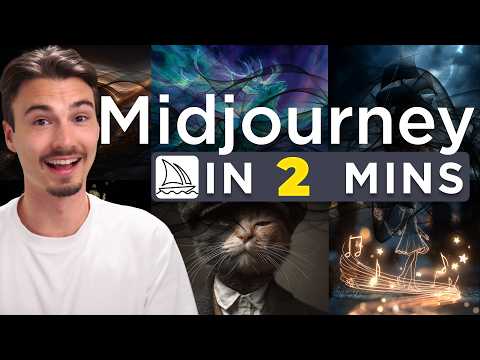 0:510:24Generate and modify images in Midjourney webThe user demonstrates entering a text prompt for 'a cat with a hat' in the Midjourney web interface and shows how to adjust settings like aspect ratio and variety.The AI Advantage
 20:262:20Running prompts in Midjourney via DiscordThe presenter demonstrates pasting a generated prompt into Discord using the '/imagine' command to generate a 4-image grid in Midjourney.Jonathan Mast
- 1:070:50Generate anime images with Midjourney NijiCurrentThe video shows how to use Midjourney's Niji model and the expressive modifier to generate stylized anime characters and backgrounds for video source material.FILM CRUX
 1:282:31Generate retro images using the PTS promptThe user shows the process of pasting the generated prompt into an AI image tool to produce 1950s-style visual results.Paper Trail Studio - Amanda