fal.ai: Image-to-video with character consistency
 fal.ai
Demo summary
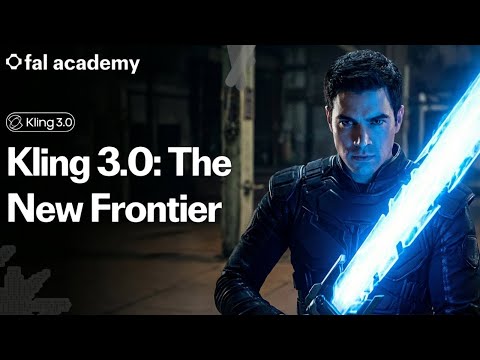
The user demonstrates Kling 03 image-to-video by providing a starting frame and a dialogue prompt to generate a cinematic scene with consistent character styling and camera cuts.
Step-by-step
- Select the Kling Video 03 image-to-video model
- Upload a start image to serve as the first frame of the video
- Enter a text prompt describing the dialogue and camera actions
- Click to generate the cinematic scene
Options
- Include an end image to define the last frame of the video
- Leave the end frame empty to give the model full creative freedom
Tips
- Use this model to maintain consistent styling from an input image while executing complex camera cuts
- Leverage the model's ability to depict specific character emotions through dialogue prompts
Highlights
“it keeps the styling of the input image consistent. Secondly, it does an awesome camera cut, and it also depicts emotion very well.”
All demos from “Introducing Kling 3.0 - A New Frontier for AI Video | fal Academy”
- 0:120:41Text-to-video generation with Kling 3.0The user demonstrates generating a multi-shot action movie scene from a single text prompt using the Kling 03 text-to-video playground on fal.fal.ai· Text to Video
- 1:310:28Complex motion generation in Kling 3.0A demonstration of Kling 3.0 handling complex physical interactions and character dialogue in a basketball scene using a detailed multi-step prompt.fal.ai· Text to Video
- 2:170:59Image-to-video with character consistencyCurrentThe user demonstrates Kling 03 image-to-video by providing a starting frame and a dialogue prompt to generate a cinematic scene with consistent character styling and camera cuts.fal.ai· Image to Video
- 4:210:23Cinematic camera and lighting controlA demonstration of precise camera control using a 'dolly zoom' prompt and a blue lighting shift to reflect character emotion in Kling 3.0.fal.ai· AI Animation Generator
- 5:280:52AI Video Editing with Image ElementsThe video shows how to edit an existing video by referencing an external image element (Popeye) to replace a character while maintaining the original video's structure.fal.ai· Video to Video
- 6:290:40Character replacement with reference imagesThe user demonstrates replacing two skydivers in a video with specific characters defined by frontal and reference images using Kling 03 video editing.fal.ai· Video to Video
- 7:090:49Reference-to-video with high controllabilityA demonstration of the Kling 03 reference-to-video model, combining a start image, a character element, and a text prompt to generate a specific scene.fal.ai· Image to Video
- Watch “Introducing Kling 3.0 - A New Frontier for AI Video | fal Academy” →
Image to Video
- 2:170:59Image-to-video with character consistencyCurrentThe user demonstrates Kling 03 image-to-video by providing a starting frame and a dialogue prompt to generate a cinematic scene with consistent character styling and camera cuts.fal
- 7:090:49Reference-to-video with high controllabilityA demonstration of the Kling 03 reference-to-video model, combining a start image, a character element, and a text prompt to generate a specific scene.fal