Animate a logo with DomoAI Image-to-Video

 DomoAI
Demo summary
The user demonstrates how to upload a static company logo, select an AI model, and enter a prompt to generate a 10-second animated video version of the asset.
Step-by-step
- Select the Image-to-Video tool from the top of the homepage
- Choose an AI model from the drop-down list
- Upload the image or company logo you wish to animate
- Enter a detailed description of the desired animation in the prompt field
- Select the video duration and aspect ratio
- Click Generate
- Preview, download, or share the final video
Options
- Choose between advanced high-quality models or faster lightweight versions
- Select a pre-made template for the animation
- Use Relax Mode to create content for free
- Regenerate or delete the result if unsatisfied
Tips
- Pick the newest model available to get the most out of the platform
- Describe exactly what you want to see in detail within the prompt field for better results
- Use Relax Mode if you are not in a hurry to save on costs
Highlights
“The interface is extremely simple mates. Even a child could figure it out.”
All demos from “DomoAI Review - 2026 | Make Animation, AI Avatars, Video-to-Video & More (Full Guide)”
- 1:361:36Animate a logo with DomoAI Image-to-VideoCurrentThe user demonstrates how to upload a static company logo, select an AI model, and enter a prompt to generate a 10-second animated video version of the asset.DomoAI· Image to Video
- 3:530:25Animate a book cover using DomoAIThe creator shows the process of uploading a static book cover image and using DomoAI's image-to-video tool to create an interactive promotional clip.DomoAI· Image to Video
- 4:570:58Create a talking AI avatar with DomoAIThe demonstration shows uploading a personal photo and using text-to-speech to generate a lip-synced talking avatar with realistic facial expressions.DomoAI· AI Avatar Video Generator
- 6:110:43Video-to-Video style transfer with DomoAIThe user demonstrates the video-to-video feature by uploading a clip and applying a Japanese anime style preset to transform the visual aesthetic while maintaining the original movement.DomoAI· Video to Video
- Watch “DomoAI Review - 2026 | Make Animation, AI Avatars, Video-to-Video & More (Full Guide)” →
Image to Video
 0:401:42Animate images with DomoAI Image-to-VideoThe user uploads an AI-generated image of frogs and uses a text prompt to animate them into a video, adjusting settings like duration and aspect ratio.Digital Product Wizard
 2:501:27Animate a static image using DomoAI Image to VideoThe creator shows how to upload a generated image and use the 'Advanced' model to add motion like hair blowing and camera movement.Dan - Smart Tutorials
 2:410:51Convert image to video in DomoAIThe video demonstrates uploading an image to DomoAI and applying a motion prompt to generate a cinematic video clip.Version 2.0
- 3:320:31Animate multiple frames with Frame to VideoThe user demonstrates the 'multiple frames' feature in DomoAI, uploading three distinct images to create a smooth, dynamic video sequence.Version 2.0
 1:311:04Animate images with Domo AIThe user demonstrates how to upload a static image and use a text prompt to generate a 10-second video using Domo AI's 'Faster' and 'Advanced' models.Paul J Lipsky
 3:080:27Convert image to video using Domo AIThe demonstration shows uploading a static image and providing a motion prompt to transform it into an animated video.AI Picks
- 1:361:36Animate a logo with DomoAI Image-to-VideoCurrentThe user demonstrates how to upload a static company logo, select an AI model, and enter a prompt to generate a 10-second animated video version of the asset.Daniel Davidson
- 3:530:25Animate a book cover using DomoAIThe creator shows the process of uploading a static book cover image and using DomoAI's image-to-video tool to create an interactive promotional clip.Daniel Davidson
 2:100:31Convert images to video with Domo AIThe demo shows the process of uploading an image from a library and selecting a motion model to generate an animated video clip.Sanky
 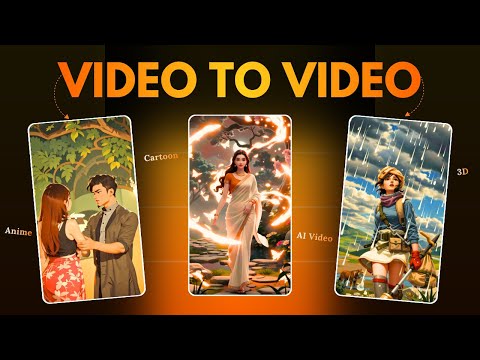 3:230:35Convert images to video using Domo AIThe video shows the process of uploading an image and using a prompt to generate a 2-3 minute video clip using Domo AI's image-to-video feature.Hindi AI Gyaan
 2:060:51Animate static images using DomoAIThe video shows the process of uploading a static image to DomoAI, setting a duration and aspect ratio, and generating a lifelike animated motion clip.AI Upskill
- 4:270:57Transfer motion to static images with AI MoveThe tutorial shows how to use the AI Move feature in DomoAI to combine a static character image with the motion from a separate video source while keeping the character's original features.AI Upskill