DomoAI: Create talking avatars in Domo AI

 DomoAI
Demo summary
Domo AI is shown generating a talking avatar from a static image by recording a voiceover and providing a behavioral prompt for gestures and eye contact.
Step-by-step
- Click on the Talking option in the interface
- Upload a static image to serve as the avatar
- Select the voice input method and record your audio directly
- Enter a behavioral prompt describing the avatar's physical actions and gestures
- Adjust the video duration to match the length of the audio
- Toggle the watermark setting if desired
- Click Generate
Options
- Upload an existing audio file
- Use text-to-speech instead of voice recording
- Remove the watermark
Watch out for
- The video duration must be set long enough to accommodate the entire audio recording
- Longer video durations will take more time to process
Tips
- Describe what the avatar is doing (gestures, eye contact) rather than what they are saying in the behavioral prompt
Highlights
“Wow, that's very very impressive. Not only are the lips matching up exactly with what he's saying, but even the way he's gesturing... it just does that so naturally.”
All demos from “The AI Video Generator Nobody's Talking About But Should Be (Domo AI)”
- 1:311:04Animate images with Domo AIThe user demonstrates how to upload a static image and use a text prompt to generate a 10-second video using Domo AI's 'Faster' and 'Advanced' models.DomoAI· Image to Video
- 2:491:39Create talking avatars in Domo AICurrentDomo AI is shown generating a talking avatar from a static image by recording a voiceover and providing a behavioral prompt for gestures and eye contact.DomoAI· AI Avatar Video Generator
- 4:581:14Video-to-video style transfer with Domo AIThe creator demonstrates transforming an existing video into a 'soft toy' animation style using Domo AI's video-to-video feature.DomoAI· Video to Video
- 6:320:29Text-to-video generation in Domo AIThe user demonstrates generating a realistic video from scratch by entering a text description and selecting the 'Realistic' style mode in Domo AI.DomoAI· Text to Video
- Watch “The AI Video Generator Nobody's Talking About But Should Be (Domo AI)” →
AI Avatar Video Generator
 4:211:08Create a talking AI avatar in DomoAIThe video demonstrates syncing a generated video with a text-to-speech voice (Mia) to create a talking character with lip-sync.Dan - Smart Tutorials
- 8:131:41Generate a fitness promo with DomoAI Talking AvatarThe creator demonstrates turning a portrait image into a promotional video by generating a script, selecting a voice, and using the talking avatar tool for lip-syncing.Dan - Smart Tutorials
- 2:491:39Create talking avatars in Domo AICurrentDomo AI is shown generating a talking avatar from a static image by recording a voiceover and providing a behavioral prompt for gestures and eye contact.Paul J Lipsky
 4:300:38Create a talking avatar with DomoAIThe demonstration shows uploading a channel avatar and a voice recording to DomoAI to generate a lip-synced talking head video.Version 2.0
 4:570:58Create a talking AI avatar with DomoAIThe demonstration shows uploading a personal photo and using text-to-speech to generate a lip-synced talking avatar with realistic facial expressions.Daniel Davidson
 4:240:50Create a talking AI avatar with DomoAIThe user demonstrates how to input a script, select an AI voice, and sync it to an image to create a talking head avatar with realistic lip-syncing.Digital Product Wizard
 3:110:55Animate an AI avatar with DomoAIThe creator demonstrates how to upload an image and audio to DomoAI's AI Avatar tool and use specific prompts like 'minimal body movement' to control the animation quality.あずきちゃんねる
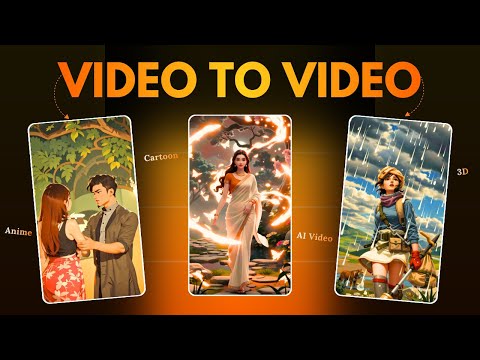 5:410:29Create a talking avatar in Domo AIThe demonstration shows uploading an image and an audio file to Domo AI to generate a realistic talking avatar with expressive movements.Hindi AI Gyaan