Generate an educational video with Synthesia

 Synthesia
Demo summary
Synthesia is shown generating a video of an AI avatar explaining the science of solar eclipses using a realistic newscaster-style delivery.
All demos from “HeyGen vs Synthesia | Which AI video generator should you choose?”
- 1:110:11Animate a photo avatar with HeyGenA demonstration of HeyGen's photo avatar feature where a historical image is brought to life with synchronized speech and movement.HeyGen· AI Avatar Video Generator
- 4:050:11Generate an educational video with SynthesiaCurrentSynthesia is shown generating a video of an AI avatar explaining the science of solar eclipses using a realistic newscaster-style delivery.Synthesia· AI Avatar Video Generator
- Watch “HeyGen vs Synthesia | Which AI video generator should you choose?” →

AI Avatar Video Generator
 1:010:29Edit AI avatars and scripts in SynthesiaThe video shows how to highlight and edit scripts, select different expressive AI avatars, and choose natural-sounding voices.Synthesia
- 3:380:29Translate videos into multiple languages with SynthesiaThe demonstration shows the one-click translation feature that converts a video into multiple languages while allowing for manual script adjustments.Synthesia
- 4:050:11Generate an educational video with SynthesiaCurrentSynthesia is shown generating a video of an AI avatar explaining the science of solar eclipses using a realistic newscaster-style delivery.Cybernews
 4:280:20Synthesia Express 2 Avatar GesturesDemonstration of the Express 2 model showing AI avatars performing natural hand gestures and body movements to match script sentiment.Synthesia
 2:331:11Customize a pre-made avatar in SynthesiaThe user demonstrates how to select a pre-made avatar, change its name, and customize the shirt color using hex codes in the Synthesia avatar builder.Simon Crowe
- 3:531:13Create a personal AI avatar and voice cloneThe video walks through the process of uploading a video file to Synthesia to create a custom personal avatar and recording a consent script for voice cloning.Simon Crowe
- 10:240:47Swap and position avatars in the editorThe user shows how to replace a template avatar with a personal avatar and adjust its framing (full screen, circle, or box) and position on the screen.Simon Crowe
- 13:270:26Upload and replace brand logosThe user shows how to upload a custom logo file and replace the placeholder logo in a Synthesia template.Simon Crowe
- 16:501:05Add and mix background musicThe user demonstrates searching the Synthesia music library by mood and adjusting the volume levels to balance with the AI voiceover.Simon Crowe
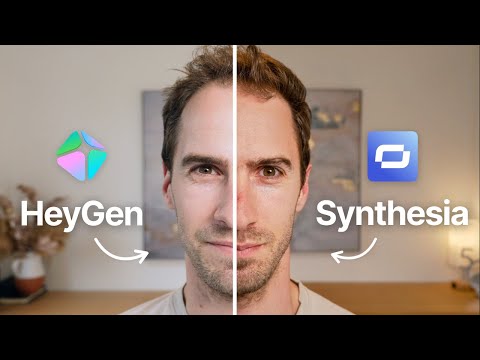 1:390:28Create an AI avatar video in SynthesiaThe user shows the process of selecting an avatar, choosing a voice model, and inputting a script within the Synthesia platform.Intellagents
 0:490:31Customize AI avatars and backgrounds in SynthesiaThe user shows how to select different AI avatars, change their costumes via text description, and modify the scene background and branding.Synthesia
- 1:470:14Edit video scripts with AI promptsThe demonstration shows how to manually edit the avatar's script at the bottom of the screen or use AI prompts to rewrite the text.Synthesia