Generating B-roll and Assets with Higgsfield Supercomputer
 Higgsfield
Demo summary
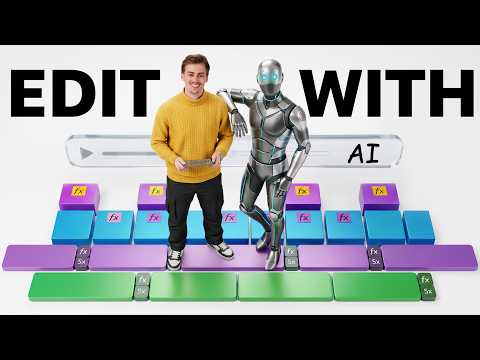
The video shows how to use Higgsfield Supercomputer to create a consistent character from a reference image and generate an 'explainer video toolkit' of animated motion graphics and B-roll from text instructions.
Step-by-step
- Upload a reference image to establish character consistency
- Enter a text prompt describing the scenes or character actions you want to generate
- Review the generated scenes and identify any failures or errors
- Instruct the tool to retry specific failed generations
- Request the tool to animate the static visual assets into motion graphics
- Download the combined file or individual clips to stitch together in an editor
Options
- Generate a B-roll package for an explainer video toolkit
- Input a full script to generate motion graphic ideas
- Upload an existing video to generate matching motion graphics
Watch out for
- The tool still makes mistakes and may fail on certain generations, requiring a retry command
- The output is not yet perfect and may require manual stitching in an external editor
Tips
- Use the tool for inspiration when you have no idea what visuals to create for a specific script
- Talk to the AI as you would talk to a human video editor
- Use reference images from previous videos to maintain a consistent look for your character
Highlights
“this could make your life as an editor a lot easier”
All demos from “I Tried AI Video Editing for 8 Days - Here’s what DOES work”
- 1:202:35Using Higgsfield Plugin in Premiere ProThe creator demonstrates the Higgsfield plugin integrated directly into Premiere Pro, showing how to reframe clips for social media, upscale footage to 4K, and generate new scenes without leaving the editing timeline.Adobe Audition· AI Video Editor
- 3:552:16Generating B-roll and Assets with Higgsfield SupercomputerCurrentThe video shows how to use Higgsfield Supercomputer to create a consistent character from a reference image and generate an 'explainer video toolkit' of animated motion graphics and B-roll from text instructions.Higgsfield· AI Stock Video Generator
- 6:272:27Creating Motion Graphics with Claude and HyperFramesThe creator demonstrates using Claude with the HyperFrames extension to generate complex motion graphics, UI animations, and text pop-ups by simply describing the desired visual changes in natural language.Claude· Text to Video
- 8:581:51Video-to-Video Editing with Google OmniThe demonstration shows Google Omni performing video-to-video tasks, such as replacing a physical object with a laptop, turning a piece of paper into a Pokémon card, and changing a character's clothing or species while maintaining motion.Google Omni· Video to Video
- Watch “I Tried AI Video Editing for 8 Days - Here’s what DOES work” →



AI Stock Video Generator
- 3:552:16Generating B-roll and Assets with Higgsfield SupercomputerCurrentThe video shows how to use Higgsfield Supercomputer to create a consistent character from a reference image and generate an 'explainer video toolkit' of animated motion graphics and B-roll from text instructions.Dan Kieft