Create AI images using Google Gemini

 Gemini
Demo summary
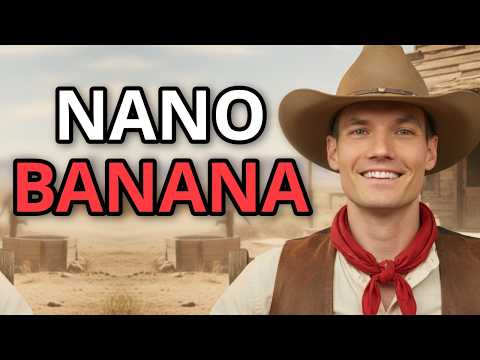
The creator shows how to use the 'nano banana' image model in Gemini to generate a high-quality thumbnail from a text prompt.
Step-by-step
- Set the Gemini model to 'nano banana' for image generation
- Paste your image prompt into the message box
- Click send to generate the image
- Zoom in on the result to inspect the quality
Watch out for
- Requires the Pro version of Gemini to access this specific image model
Tips
- Generate your prompts in ChatGPT before bringing them into Gemini
- Use this tool to save time instead of manually creating thumbnails in Canva
Highlights
“you don't need to spend time waste time using Canva or using any other platform to generate thumbnail anymore”
All demos from “How To Use GeminiGenAI For FREE | No Credits Needed | Unlimited Videos”
- 1:201:27Generate YouTube thumbnails with Google FlowThe user demonstrates how to set aspect ratios to landscape and use a ChatGPT-generated prompt to create a YouTube thumbnail image within the Google Flow interface.Google Flow· Text to Image
- 3:010:54Create AI images using Google GeminiCurrentThe creator shows how to use the 'nano banana' image model in Gemini to generate a high-quality thumbnail from a text prompt.Gemini· Text to Image
- 4:262:19Generate AI video ads with GeminiGenAI SoraThe video walks through using the GeminiGenAI platform to select the Sora model and generate 10-second video advertisements for brands like Nike and a custom water brand using text prompts.GeminiGenAI· AI Commercial Generator
- Watch “How To Use GeminiGenAI For FREE | No Credits Needed | Unlimited Videos” →


Text to Image
 2:102:05Generate 3D character images with Google GeminiThe user shows how to copy prompts from ChatGPT into Google Gemini, specifying a 9:16 aspect ratio to generate consistent 3D fruit-headed characters.DoliveB TV
 1:250:34Generate images from text with Nano BananaThe user navigates to the 'Create Images' tool in Google Gemini and generates a storefront image from a simple text prompt using Nano Banana.Kevin Stratvert
 1:300:47Generate AI images in Google GeminiThe user shows the process of copying an image prompt from the script and using Gemini's image generation tool to create a Pixar-style fruit character.7figureboss Academy
 12:100:49Generate character images with Google GeminiThe creator demonstrates copying a scene prompt from ChatGPT and pasting it into Google Gemini's 'create image' tool with the Pro option to generate a high-quality image of a fruit character.zapiwala ai
 7:491:05Generating cinematic meta tokens in Google GeminiThe creator demonstrates using the same system prompt in Google Gemini to generate unique cinematic tokens like 'DVD screen grab' and 'IMAX' for realistic AI image generation.metricsmule
- 3:010:54Create AI images using Google GeminiCurrentThe creator shows how to use the 'nano banana' image model in Gemini to generate a high-quality thumbnail from a text prompt.David Creative Lab
 1:470:43Generate and compare images in Google GeminiThe user demonstrates generating a cinematic image of a dog on a beach using Nano Banana 2 within the Gemini portal and then uses the 'redo with Pro' feature to compare results.Curious Refuge
 0:360:11Generate a landscape image with Nano BananaThe creator demonstrates generating a high-quality image of a beach in the Maldives using a simple text prompt in the standard Nano Banana model.The AI Advantage