Imagine.art: Upscaling images with ImagineArt Subtle Upscaler

 Imagine.art
Demo summary
The demonstrator compares original images with upscaled versions using the Subtle and Creative upscalers to improve resolution and detail.
Step-by-step
- Select Enhance Image from the toolset
- Choose the Subtle upscaler from the available models
- Set the upscale factor to 2x
- Enable the Aura Enhancement toggle
- Click Run to process the image
- Zoom into the side-by-side comparison to verify detail improvements
Options
- Switch to Creative upscaler for more artistic interpretation
- Use Topaz upscale for higher effectiveness at a higher cost
- Adjust the upscale multiplier (e.g., 2x)
Watch out for
- The Creative upscaler may introduce unwanted changes to the original image details
Tips
- Use the Subtle upscaler if your goal is to preserve original details while increasing resolution
- Enable Aura Enhancement to allow finer details to pop in the final image
- Try Topaz if you are not getting the required detail from the standard Imagine Art upscalers
Highlights
“Most of the time the Imagine Art upscalers will get you to where you need”
All demos from “ImagineArt Workflows [Advance Tutorial]: The Ultimate Guide To Create Professional AI Art (Part 5)”
- 0:490:37Uploading and connecting assets in ImagineArtThe demonstrator shows how to use the Upload node to bring images into the canvas and connect them to downstream generation nodes.Imagine.art· AI Image Generator
- 2:040:36Generating images with Nano Banana ProA demonstration of connecting a prompt and reference image to an image node using the Nano Banana Pro model to generate a landscape artwork.Imagine.art· Image to Image
- 4:070:57Building an AI Co-Pilot workflowThe user demonstrates chaining a Gemini 3.0 AI Co-Pilot node to an image generation node to create a fantasy environment from a refined prompt.Imagine.art· AI Image Generator
- 5:140:46Image-to-image style transferThe video shows how to chain two image nodes to transform an existing image into a dystopian techno landscape.Imagine.art· AI Style Transfer
- 6:000:47Adding subjects to images with Nano Banana ProA demonstration of using an image node and prompt to seamlessly add a hooded figure into an existing generated scene.Imagine.art· AI Inpainting
- 7:081:42Upscaling images with ImagineArt Subtle UpscalerCurrentThe demonstrator compares original images with upscaled versions using the Subtle and Creative upscalers to improve resolution and detail.Imagine.art· AI Image Upscaler
- 8:540:49Cropping and resizing imagesA walkthrough of using utility nodes to crop a specific area of an image and resize it for different aspect ratios.Imagine.art· AI Crop Image
- 9:430:43Adjusting image levels and filtersThe user demonstrates using histogram sliders and filter nodes to adjust shadows, brightness, and color temperature on the canvas.Imagine.art· AI Photo Editor
- 10:481:03Text-to-video generation with Vidu 1.1A demonstration of generating a cinematic drone shot of a forest using a text prompt and the Vidu 1.1 video model.Imagine.art· Text to Video
- 11:511:01Image-to-video animationThe demonstrator uses an existing asset and a prompt to animate a still image into a video clip with environmental motion.Imagine.art· Image to Video
- 13:350:43Extending video duration with PixverseThe video shows how to use the Pixverse Extend node to add 5 seconds of continuous motion to an existing 4-second clip.Pixverse AI· AI Video Editor
- 14:202:00Motion transfer between video and illustrationA demonstration of extracting dance movements from a source video and applying them to a static character illustration using the Move and Replace nodes.Imagine.art· Video to Video
- 16:201:20AI Lip Sync with 11 Labs and Cling AIThe user generates speech via 11 Labs and uses the Cling AI Avatar Pro node to synchronize an image's mouth movements to the audio.Imagine.art· AI Lip Sync Generator
- Watch “ImagineArt Workflows [Advance Tutorial]: The Ultimate Guide To Create Professional AI Art (Part 5)” →

AI Image Upscaler
- 7:081:42Upscaling images with ImagineArt Subtle UpscalerCurrentThe demonstrator compares original images with upscaled versions using the Subtle and Creative upscalers to improve resolution and detail.ImagineArt
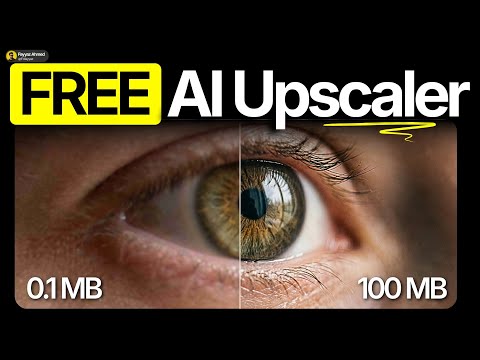 1:030:42Enhance image resolution with Imagine ArtThe video shows the process of using Imagine Art's image upscale feature, selecting the Topaz model, and applying a 4x upscale to a portrait.Fayyaz Ahmed