Let's Enhance: Upscaling low-res images for printing

 Let's Enhance
Demo summary
The user demonstrates using the 'Printing' presets to upscale a small cat photo to A5 size, increasing the file size and resolution to prevent blurriness when printed.
Step-by-step
- Upload the low-resolution image to the platform
- Navigate to the Presets menu
- Select a printing option, such as A5 paper size
- Click on Enhance to start the processing
- Download the processed image to your desktop
Options
- Select from various printing presets based on desired paper size
Watch out for
- The software takes a couple of minutes to process the image
Highlights
“It is really helpful”
All demos from “How to restore Old Family Photos with LetsEnhance.io”
- 1:551:15Gentle photo enhancement with Let's EnhanceThe user uploads an old photo and applies the 'Gentle' enhancement preset to soften textures and clarify details like eyes using Let's Enhance.Let's Enhance· AI Image/Photo Enhancer
- 3:101:02Strong photo restoration and upscalingThe video demonstrates the 'Strong' restoration preset in Let's Enhance, which quadruples the image size and significantly improves definition in fabric and facial features.Let's Enhance· AI Photo Restoration
- 4:121:03Automatic scratch removal and colorizationThe 'Old Photo' option in Let's Enhance is shown removing physical scratches and tears from a vintage image while automatically applying colorization.Let's Enhance· AI Photo Restoration
- 5:461:24Upscaling low-res images for printingCurrentThe user demonstrates using the 'Printing' presets to upscale a small cat photo to A5 size, increasing the file size and resolution to prevent blurriness when printed.Let's Enhance· AI Image Upscaler
- Watch “How to restore Old Family Photos with LetsEnhance.io” →
AI Image Upscaler
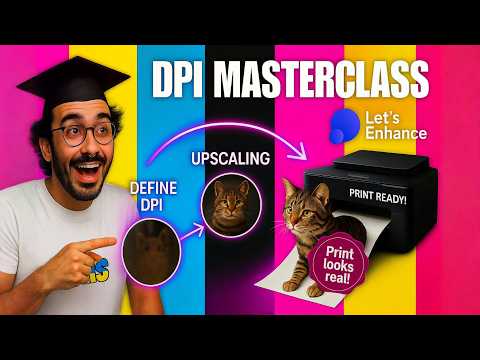 4:382:21Upscale low-resolution photos for printing with Let's EnhanceThe user demonstrates uploading a small 600x453 pixel photo to Let's Enhance.io and using the printing presets to upscale it to 18x12 inches at 300 DPI for a sharp print result.Filedesign Tutorials and HowTo Videos
- 7:162:22Optimize images for web usage using Digital Art presetThe video shows how to use the 'Digital Art' preset and select the PNG output format in Let's Enhance.io to upscale an image for modern high-resolution screens.Filedesign Tutorials and HowTo Videos
- 5:461:24Upscaling low-res images for printingCurrentThe user demonstrates using the 'Printing' presets to upscale a small cat photo to A5 size, increasing the file size and resolution to prevent blurriness when printed.Filedesign Tutorials and HowTo Videos
 5:260:30Upscaling images with Let's Enhance.io Balanced modeThe demonstration shows the 'Balanced' upscaling option in Let's Enhance.io, which increases image resolution without aggressively sharpening facial features.Filedesign Tutorials and HowTo Videos