Generate revenge style movie posters in Midjourney
 Midjourney
Demo summary
This clip demonstrates the 'revenge style movie poster' prompt, which emphasizes red color schemes and intense, vengeful facial expressions.
Step-by-step
- Add the phrase 'revenge style movie poster' to your Midjourney prompt
- Incorporate characters with intense, vengeful facial expressions
- Use red color schemes to emphasize the theme
Watch out for
- The prompt may sometimes automatically include the literal word 'revenge' in the generated image text
- Certain characters, like the Statue of Liberty, may result in a 'dark and scary' look rather than a specific revenge theme
Tips
- Use this prompt if you want to create evil or angry style posters
- Focus on the eyes of the characters to achieve a vengeful look
Highlights
“if you like these kind of evil sort of angry style of posters with the red and the evil, I think this is a great one to play with”
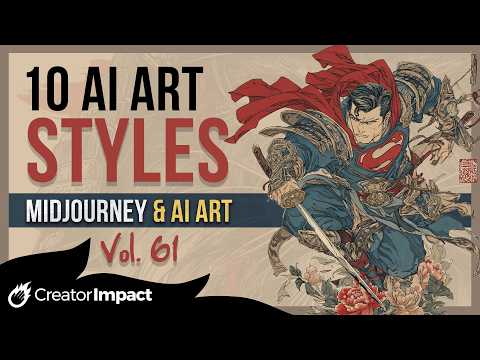
All demos from “10 EYE-GRABBING Midjourney AI Art Styles You Need To Try! (Vol 61)”
- 0:100:44Apply 1990s fashion advertisement style in MidjourneyThe creator demonstrates the '1990s fashion advertisement' prompt in Midjourney, showing how it adds faded photo textures and period-accurate clothing to characters like Terminator and Batman.Midjourney· AI Style Transfer
- 0:540:46Generate neon zombie-fied mutation art in MidjourneyThis clip shows the results of the 'neon zombie-fied mutation' prompt, which applies oversaturated colors and undead features to subjects using Midjourney.Midjourney· Text to Image
- 1:400:45Mimic Gustav Klimt's painting style in MidjourneyThe video demonstrates using 'painted by Gustav Klimt' to incorporate gold foil elements and Art Nouveau patterns into AI-generated images.Midjourney· AI Style Transfer
- 2:250:49Create Mad Max dystopian aesthetics in MidjourneyThe creator shows how the 'Mad Max style' prompt generates warm, dystopian visuals with rusted vehicles and post-apocalyptic attire for various characters.Midjourney· Text to Image
- 3:230:49Transform subjects into flag designs in MidjourneyThis segment demonstrates a 'flag design' prompt that simplifies subjects into graphic elements featuring stars, stripes, and national color palettes.Midjourney· AI Style Transfer
- 4:120:39Generate original Game Boy graphics in MidjourneyThe creator demonstrates the 'original Game Boy graphics screen cap' prompt to produce low-resolution, pixelated, monochromatic green-scale imagery.Midjourney· Text to Image
- 4:510:35Apply furious painting style with rough strokes in MidjourneyThis clip shows the 'furious painting style' prompt, which adds aggressive energy and visible, rough brush strokes to Midjourney outputs.Midjourney· AI Style Transfer
- 5:260:46Generate Hung Gar Kung Fu inspired poses in MidjourneyThe video shows how the 'Hung Gar Kung Fu inspired' prompt changes character poses to traditional martial arts stances and adds billowing Shaolin-style robes.Midjourney· Text to Image
- 6:120:41Create samurai ukiyo-e tattoo art in MidjourneyThe creator demonstrates a complex prompt for 'samurai ukiyo-e inspired tattoo art on plain white' to generate Japanese-style tattoo illustrations.Midjourney· Text to Image
- 6:530:55Generate revenge style movie posters in MidjourneyCurrentThis clip demonstrates the 'revenge style movie poster' prompt, which emphasizes red color schemes and intense, vengeful facial expressions.Midjourney· Text to Image
- 7:520:46Apply Darth Maul red and black patterns in MidjourneyThe creator shows a bonus style using 'Darth Maul inspired red and black' to apply specific facial markings and color schemes to unrelated characters like Mickey Mouse and Hulk.Midjourney· AI Style Transfer
- Watch “10 EYE-GRABBING Midjourney AI Art Styles You Need To Try! (Vol 61)” →
Text to Image
 1:070:50Generate anime images with Midjourney NijiThe video shows how to use Midjourney's Niji model and the expressive modifier to generate stylized anime characters and backgrounds for video source material.FILM CRUX
 0:510:24Generate and modify images in Midjourney webThe user demonstrates entering a text prompt for 'a cat with a hat' in the Midjourney web interface and shows how to adjust settings like aspect ratio and variety.The AI Advantage
 3:560:45Interpreting Descriptive Prompts in Conversational ModeThe video shows Midjourney V8 successfully identifying the 'Statue of Liberty' from a descriptive prompt without the landmark being named explicitly.Wade McMaster - Creator Impact
 20:262:20Running prompts in Midjourney via DiscordThe presenter demonstrates pasting a generated prompt into Discord using the '/imagine' command to generate a 4-image grid in Midjourney.Jonathan Mast
- 0:540:46Generate neon zombie-fied mutation art in MidjourneyThis clip shows the results of the 'neon zombie-fied mutation' prompt, which applies oversaturated colors and undead features to subjects using Midjourney.Wade McMaster - Creator Impact
- 2:250:49Create Mad Max dystopian aesthetics in MidjourneyThe creator shows how the 'Mad Max style' prompt generates warm, dystopian visuals with rusted vehicles and post-apocalyptic attire for various characters.Wade McMaster - Creator Impact
- 4:120:39Generate original Game Boy graphics in MidjourneyThe creator demonstrates the 'original Game Boy graphics screen cap' prompt to produce low-resolution, pixelated, monochromatic green-scale imagery.Wade McMaster - Creator Impact
- 5:260:46Generate Hung Gar Kung Fu inspired poses in MidjourneyThe video shows how the 'Hung Gar Kung Fu inspired' prompt changes character poses to traditional martial arts stances and adds billowing Shaolin-style robes.Wade McMaster - Creator Impact
- 6:120:41Create samurai ukiyo-e tattoo art in MidjourneyThe creator demonstrates a complex prompt for 'samurai ukiyo-e inspired tattoo art on plain white' to generate Japanese-style tattoo illustrations.Wade McMaster - Creator Impact
- 6:530:55Generate revenge style movie posters in MidjourneyCurrentThis clip demonstrates the 'revenge style movie poster' prompt, which emphasizes red color schemes and intense, vengeful facial expressions.Wade McMaster - Creator Impact
 7:390:41Create embroidery patch assets with MidjourneyThe user shows how to generate pill-shaped and oval embroidery patch graphics using Midjourney prompts to create assets for a variable data print project.Midjourney Experience
 1:282:31Generate retro images using the PTS promptThe user shows the process of pasting the generated prompt into an AI image tool to produce 1950s-style visual results.Paper Trail Studio - Amanda