VidMage: Multi-face swap in group photos and videos

 VidMage
Demo summary
The demonstration shows how VidMage detects multiple faces in a single file and allows the user to assign different faces for a group swap.
Step-by-step
- Upload a group photo or video to the system
- Wait for the automatic face detection to complete
- Assign specific source faces to the detected target faces in the image
- Process the file to generate the multi-face swap
Options
- Swap faces in photo-based projects
- Swap faces in group video projects
Tips
- Use higher quality input images or videos to yield better outputs
Highlights
“produces seamless results in just a few seconds”
All demos from “VidMage vs Traditional Editing — Why This AI Wins Every Time”
- 3:100:45Swap faces in photos with VidMageThe video demonstrates how to upload a source image and a target face to perform a seamless face swap on a portrait using VidMage.VidMage· AI Face Swap Generator
- 3:550:48Video face swapping using VidMageA walkthrough of uploading a source video and a target face to VidMage to generate a video face swap that preserves expressions and lighting.VidMage· AI Face Swap Video
- 4:430:26Multi-face swap in group photos and videosCurrentThe demonstration shows how VidMage detects multiple faces in a single file and allows the user to assign different faces for a group swap.VidMage· AI Face Swap Generator
- Watch “VidMage vs Traditional Editing — Why This AI Wins Every Time” →
AI Face Swap Generator
 0:270:25Image face swap with VidMage AIThe user demonstrates how to swap a face in a static image by uploading a personal photo and applying it to a picture of an older man using VidMage AI.Eigi and AI
- 1:290:32Multi-face swap in photosThe demonstration shows VidMage AI automatically detecting multiple faces in a group photo and replacing all of them with the user's face simultaneously.Eigi and AI
- 3:100:45Swap faces in photos with VidMageThe video demonstrates how to upload a source image and a target face to perform a seamless face swap on a portrait using VidMage.AI BORDER
- 4:430:26Multi-face swap in group photos and videosCurrentThe demonstration shows how VidMage detects multiple faces in a single file and allows the user to assign different faces for a group swap.AI BORDER
 1:300:37Photo face swap with VidMage AIThe user demonstrates how to upload a target image and a source face to perform a realistic photo face swap using VidMage AI.AiMinds
 2:300:42Swap faces in photos with VidMage AIThe user demonstrates the two-step process of uploading a base photo and a target face to generate a realistic face swap using VidMage AI.Jelly AI
 0:551:29Swap faces in photos with Vidmage.aiThe user demonstrates how to upload a base image and a target face photo to Vidmage.ai to perform a seamless single-face swap in a static image.AI Zayan
- 3:130:42Multi-face swap in a single imageVidmage.ai is shown replacing multiple different faces within one photo simultaneously by uploading multiple target face images.AI Zayan
 0:540:50Photo face swap with Vidmage AIThe user demonstrates how to upload a target image and a reference face to perform a single-person face swap using Vidmage AI.Techvid Ai
- 2:371:03Multiple face swap in photos with Vidmage AIThe creator demonstrates swapping multiple faces in a single photo by uploading a group image and two different reference face images.Techvid Ai
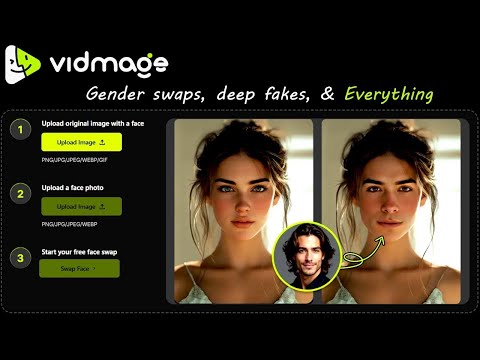 0:550:35Image face swap with VidMage AIThe user demonstrates how to upload a base image and a target face to perform an instant face swap on a photo using VidMage AI.Tech Ai
- 2:050:30Multiple face swap in group photosVidMage AI is used to detect multiple faces in a group photo and swap each one with different individual target images.Tech Ai