ComfyUI: Lip sync character replacement with Mocha

 ComfyUI
Demo summary
The creator shows Mocha's ability to sync the lip movements of a new character (both human and animated) with the original video's audio.
All demos from “Mocha vs Wan2.2 Animate: Best Workflow for PERFECT Character Replacement in ComfyUI”
- 4:221:26Configuring Mocha Embeds in ComfyUIThe creator demonstrates how to set up the Mocha Embeds node in ComfyUI, connecting the VAE model, reference video, first-frame mask, and character reference images.ComfyUI· AI Image Generator
- 5:500:25Processing reference video for MochaThe video shows how to use the Load Video and Image Scale nodes to prepare the reference video frames and prevent RAM overflow.ComfyUI· AI Video Editor
- 6:150:37Creating a single-frame mask with SAM 2The demo shows how to use the Point Editor and SAM 2 nodes to generate a mask for only the first frame of the video, as required by Mocha.ComfyUI· AI Video Editor
- 6:520:39Preparing character reference imagesThe creator demonstrates resizing and padding a target character image to match the video aspect ratio using color padding to avoid distortion.ComfyUI· AI Expand Image
- 8:521:04Replacing a dancing character with MochaA concrete demonstration of replacing a woman dancing in a video with a new character using the Mocha workflow in ComfyUI.ComfyUI· Video to Video
- 12:450:58Replacing a human with an animated werewolfThe video demonstrates replacing a human actor with a stylized werewolf character while maintaining consistent textures and movement.ComfyUI· Video to Video
- 13:431:00Lip sync character replacement with MochaCurrentThe creator shows Mocha's ability to sync the lip movements of a new character (both human and animated) with the original video's audio.ComfyUI· AI Lip Sync Generator
- Watch “Mocha vs Wan2.2 Animate: Best Workflow for PERFECT Character Replacement in ComfyUI” →
AI Lip Sync Generator
 14:523:11Lip-syncing audio to images with LTX 2.3The tutorial shows how to upload an MP3 file and a character image to generate a lip-synced video, including a demonstration of the voice isolation subgraph in ComfyUI.AIKnowledge2Go
 36:000:39Singing characters with LTX-2 and custom audioThe creator demonstrates how to use LTX-2 to make a character sing by providing a custom audio file and a specific singing prompt.pixaroma
 10:070:59Lip-syncing with custom audioThe creator demonstrates importing an audio file into the timeline and using a specific prompt structure to synchronize the character's mouth movements with the audio track.What Dreams Cost
 5:411:07Configure frame window and motion settings for Infinite TalkThe user demonstrates how to adjust the frame window size and motion frame overlap to balance video smoothness, lip-sync consistency, and VRAM usage.pixaroma
- 8:411:11Create a multi-person talking video in ComfyUIThe creator demonstrates the multi-talk version of the workflow, showing how to assign separate audio files to two different characters in a single image using the multimodel setting.pixaroma
 3:270:37Two-person image to video conversation in ComfyUIThe creator demonstrates how to use the 'add' setting in the ComfyUI node widget to load separate audio files for a back-and-forth conversation between two characters.ComfyUI Studio
- 4:041:22Parallel audio lip-sync for two charactersThe video shows how to use the 'PAR' setting in the WAN workflow to merge audio tracks for simultaneous or perfectly timed character interactions, including masking two faces in the node.ComfyUI Studio
- 5:420:22Video-to-video lip-sync with WAN workflowThe demonstration shows how to take an existing video and sync the lip movements to a new audio file using the ComfyUI workflow.ComfyUI Studio
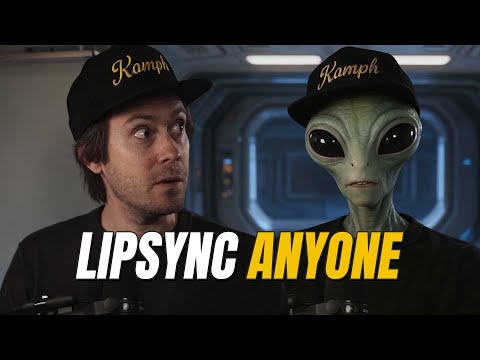 4:460:35Installing and using the Sync custom node in ComfyUISebastian walks through installing the Sync custom node via Git URL in ComfyUI and setting up a workflow with video/audio input nodes and the Sync generate node.Sebastian Kamph
- 5:291:09Combining image-to-video models with Sync in ComfyUIThe video demonstrates a complex workflow using Krea.ai to transform a shot into a cinematic style before passing the generated video into Sync for final lip-syncing.Sebastian Kamph
 3:201:14Animate static images with Infinite Talk V2A demonstration of the Infinite Talk V2 workflow where a static thumbnail image is paired with an audio track to create a lip-synced, animated talking character.Yaroflasher
- 4:341:29Video-to-video lip sync with Infinite TalkThe creator shows how to use a vid-to-vid workflow to analyze an audio file and automatically synchronize a character's mouth and expressions in an existing video clip.Yaroflasher