Creating an AI video clone with HeyGen

 HeyGen
Demo summary
The creator demonstrates his own AI-generated clone, explaining how HeyGen's Avatar 5 uses a 15-second clip to capture voice and movement for unlimited video generation.
All demos from “I Don’t Think You Understand How Insane Omni is...”
- 4:400:25Remixing video environments and characters with Google OmniA demonstration shows a single clip of a person running transformed into different environments (track, gallery, beach) and changing the character's gender and likeness using Google Omni.GGoogle Omni· Video to Video
- 5:491:04Applying motion graphics and text overlays with Google OmniThe tool is shown adding complex motion graphics, organic text framing, and 3D masking that places elements behind a moving subject in a dance video.GGoogle Omni· AI Video Editor
- 7:280:39Generating educational animations from audio with Google OmniGoogle Omni is demonstrated taking an audio explanation about blue eyes and automatically generating a zoomed-in anatomical animation with labels and transitions.GGoogle Omni· AI Animation Generator
- 8:220:22Creating stop-motion explainers with Google OmniA demonstration shows Google Omni generating a skeuomorphic stop-motion style video about the brain's hippocampus based on a script and voiceover.GGoogle Omni· Script To Video AI Generator
- 10:041:01Creating an AI video clone with HeyGenCurrentThe creator demonstrates his own AI-generated clone, explaining how HeyGen's Avatar 5 uses a 15-second clip to capture voice and movement for unlimited video generation.HeyGen· AI Avatar Video Generator
- 11:370:19Changing video lighting via natural language in Google FlowThe user demonstrates dragging a video into the Google Flow agent box and using a text prompt to change the lighting to a cinematic style with heavy shadows and smoke.Google Whisk· Video to Video
- Watch “I Don’t Think You Understand How Insane Omni is...” →

AI Avatar Video Generator
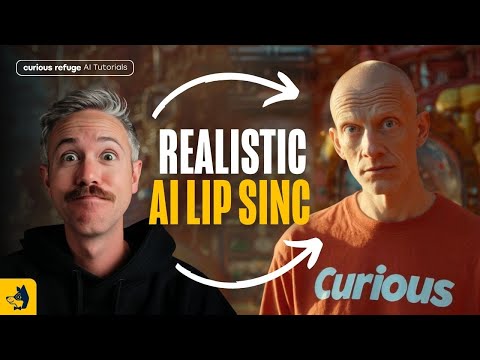 8:011:14Sync audio to image using HeyGen Photo to VideoThe user demonstrates uploading a Midjourney image and an ElevenLabs audio file to HeyGen's Avatar 4 tool, including using a text prompt for directorial control over the character's expression.Curious Refuge
 4:270:37Swap AI avatars and background musicA demonstration of changing the presenter avatar and background audio track within an existing HeyGen project to alter the video's tone.Joseph Martin
- 7:350:13Set up a Brand Kit in HeyGenThe creator shows how to upload a logo and configure brand fonts and colors within HeyGen to maintain visual consistency across generated videos.Joseph Martin
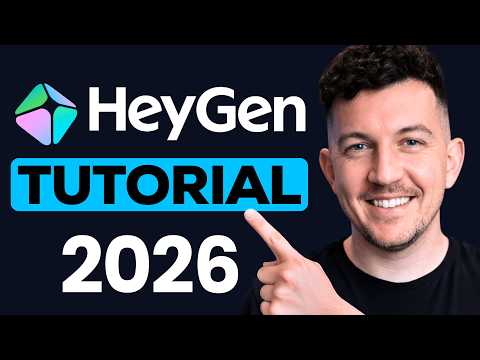 4:201:24Editing scripts and captions in HeyGen AI StudioThe creator walks through the HeyGen AI Studio editor, showing how to manually edit the generated script, adjust delivery style, and customize caption fonts and colors.Simon Crowe
- 6:260:49Adjusting avatar movement with HeyGen Motion EngineThe user demonstrates the Motion Engine settings in HeyGen, selecting different movement styles like 'excited' or 'welcoming' to change the avatar's physical energy.Simon Crowe
- 8:332:35Cloning a real person as an AI avatarThe tutorial demonstrates the step-by-step process of creating a 'digital twin' by recording a webcam video and reading a safety script to train a custom HeyGen avatar.Simon Crowe
- 15:231:50Creating a virtual character in HeyGenThe video shows how to design a stylized virtual character (Matteo) using AI prompts, selecting a Pixar-style aesthetic and assigning a specific voice from the library.Simon Crowe
 13:241:26Create lifelike avatars with HeyGen Avatar 4Demonstration of HeyGen's Avatar 4 model, showing how to use text prompts to control character gestures like pointing while lip-syncing.Tao Prompts
 5:031:23Create AI video avatars with HeyGen and 11 LabsRowan shows a viral short-form video created using a HeyGen face clone and an 11 Labs voice clone to narrate his written newsletter content.@GregIsenberg
 1:111:10Generate a nature documentary with HeyGen and Seedance 2.0The creator uses the HeyGen AI agent to generate a nature documentary about puffins, demonstrating how the tool places his personal AI avatar into scenic cliffside shots.Joseph Martin
- 2:561:01Create a cinematic film set walkthroughA demonstration of HeyGen's AI agent and Seedance 2.0 generating a video of the creator walking through a Hollywood movie set while explaining production roles.Joseph Martin
- 4:171:15B-roll replacement workaround in HeyGenThe video shows a workflow to bypass the 60% Seedance duration limit by generating multiple versions and manually replacing B-roll with additional AI-generated avatar shots.Joseph Martin