LTX Studio: Reviewing motion previews and seeds

 LTX Studio
Demo summary
The interface displays four different motion previews generated from different seeds, allowing the user to compare and select the best motion for the scene.
All demos from “Getting Started with LTX Video 13B in LTX Studio”
- 0:320:22Generate and upscale an image in LTX StudioThe user demonstrates generating a 1960s sci-fi themed image using the vintage style preset and then upscaling it within the LTX Studio image generator.LTX Studio· AI Image Upscaler
- 0:540:13Clean up images with Generative RemoveThe video shows the 'generative remove' tool being used inside LTX Studio to fix a small imperfection in a generated image.LTX Studio· AI Object Remover/Eraser
- 1:040:39Configure LTXV 13B video generationThe user selects the LTXV 13B model from the model selection panel, inputs a motion prompt, and sets the clip length to begin video generation.LTX Studio· AI Animation Generator
- 2:230:12Reviewing motion previews and seedsCurrentThe interface displays four different motion previews generated from different seeds, allowing the user to compare and select the best motion for the scene.LTX Studio· AI Animation Generator
- 2:490:07Upscale video to 1080pThe user demonstrates how to take a selected motion clip and hit the upscale button to produce a final 1080p render in LTX Studio.LTX Studio· AI Video Upscaler
- Watch “Getting Started with LTX Video 13B in LTX Studio” →
AI Animation Generator
- 1:040:39Configure LTXV 13B video generationThe user selects the LTXV 13B model from the model selection panel, inputs a motion prompt, and sets the clip length to begin video generation.LTX_io
- 2:230:12Reviewing motion previews and seedsCurrentThe interface displays four different motion previews generated from different seeds, allowing the user to compare and select the best motion for the scene.LTX_io
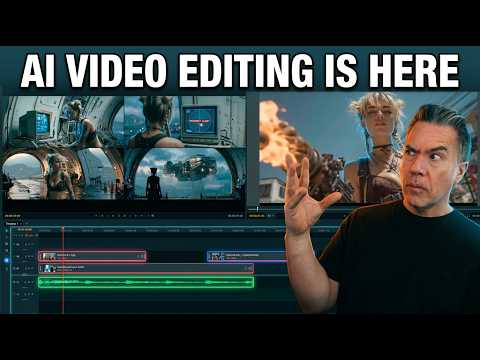 5:590:46Generating video in LTX Desktop Gen SpaceThe user demonstrates the 'Gen Space' in LTX Desktop, showing how to set video duration, resolution, and use the built-in upscaler with the LTX 2.3 model.Theoretically Media
 3:180:28Refine shot composition in LTX StudioThe user shows how to use the 'create composition' tool to draw a specific shot layout and use '@' tags to reference specific characters within a prompt.Jon Kent
 5:440:20Generate character animation in LTX StudioA demonstration of LTX Studio generating a realistic clip of a child in a toy store to show how the model handles small details and natural movement.MindForge AI