Picsart: Preview and export the final faceless AI video
 Picsart
Demo summary
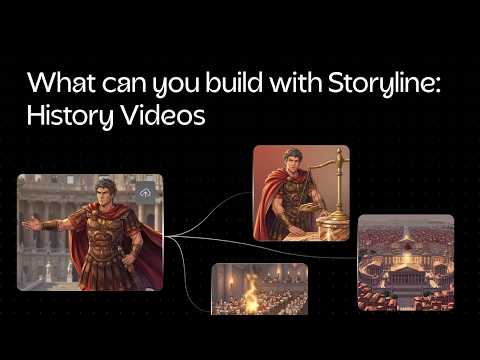
The final produced video about Julius Caesar is played back, showing the result of the AI generation, followed by the export options for merged or individual video chunks.
Step-by-step
- Preview the generated video sequence to check the flow of visuals and audio
- Select the export option
- Choose between exporting as one single merged video or as individual chunks and audio
Options
- Export as a single merged video
- Export as individual video chunks
- Export the audio separately
All demos from “How to Start AI Faceless YouTube Channel | Picsart Storyline Tutorial”
- 0:170:54Configure AI video settings in Picsart StorylineThe user demonstrates how to input a story description, upload character reference images for consistency, and select visual styles, narration tones, and AI video models within the Picsart Storyline interface.Picsart· AI Movie Generator
- 1:570:40Generate and sync video chunks in Picsart StorylineThe user selects aspect ratios and resolutions before generating individual video chunks that are automatically synced to the AI-generated voiceover.Picsart· Script To Video AI Generator
- 2:371:13Preview and export the final faceless AI videoCurrentThe final produced video about Julius Caesar is played back, showing the result of the AI generation, followed by the export options for merged or individual video chunks.Picsart· Script To Video AI Generator
- Watch “How to Start AI Faceless YouTube Channel | Picsart Storyline Tutorial” →
Script To Video AI Generator
- 1:570:40Generate and sync video chunks in Picsart StorylineThe user selects aspect ratios and resolutions before generating individual video chunks that are automatically synced to the AI-generated voiceover.Picsart
- 2:371:13Preview and export the final faceless AI videoCurrentThe final produced video about Julius Caesar is played back, showing the result of the AI generation, followed by the export options for merged or individual video chunks.Picsart