Long-form video generation with Picsart Aura

 Picsart
Demo summary
The demo shows the 'Aura' feature being used to stitch 8-second AI video clips together into a cohesive longer video.
Step-by-step
- Access the Aura feature within Picsart
- Generate individual 8-second video clips using AI prompts
- Stitch the 8-second clips together to create a longer video
Tips
- Expect to use trial and error with prompts to achieve thematic consistency
- Use specific prompts to move beyond simple clips toward story-focused output
Highlights
“Doing so effectively requires a bit of trial and error”
All demos from “Picsart Review (2026) — All the Pros and Cons Explained”
- 1:460:27Long-form video generation with Picsart AuraCurrentThe demo shows the 'Aura' feature being used to stitch 8-second AI video clips together into a cohesive longer video.Picsart· AI Movie Generator
- 2:251:08Photo editing and layer manipulation in PicsartThe tool is shown applying filters, overlays like light leaks, and using layers and blend modes to manipulate images.Picsart· AI Photo Editor
- 4:390:14Transcript-based video editing on Picsart mobileThe mobile app demo shows a user trimming a video clip by simply deleting words from the generated text transcript.Picsart· AI Video Editor
- Watch “Picsart Review (2026) — All the Pros and Cons Explained” →
AI Movie Generator
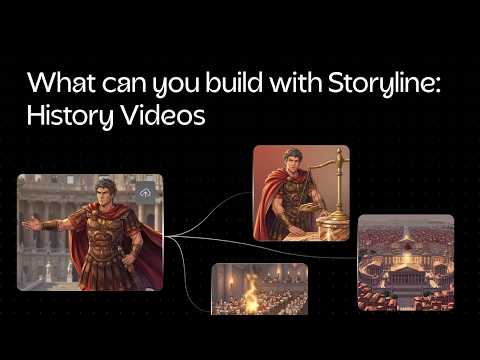 0:170:54Configure AI video settings in Picsart StorylineThe user demonstrates how to input a story description, upload character reference images for consistency, and select visual styles, narration tones, and AI video models within the Picsart Storyline interface.Picsart
- 1:460:27Long-form video generation with Picsart AuraCurrentThe demo shows the 'Aura' feature being used to stitch 8-second AI video clips together into a cohesive longer video.Style Factory