Restore group photos with HitPaw FotorPea
 HitPaw FotorPea
Demo summary
The 'Advanced multi-person restoration' feature is shown processing group shots to ensure multiple faces are clear and natural without over-processing.
Step-by-step
- Select the Advanced multi-person restoration model
- Apply the model to your family, graduation, or group photo
Tips
- Use this specific model for group shots to prevent individual faces from being over-processed
Highlights
“ensuring everyone looks clear, natural, and well-balanced”
All demos from “Best AI Photo Restoration 2026 | How to Restore Old Photos with AI - HitPaw FotorPea Tutorial”
- 0:230:18General photo restoration with HitPaw FotorPeaThe video demonstrates the 'All-round restoration' model in HitPaw FotorPea to quickly enhance images containing both people and landscapes.HitPaw FotorPea· AI Photo Restoration
- 0:410:16Restore and colorize faded photos with HitPaw FotorPeaThe 'Advanced restoration' model is shown automatically adding color and detail to black and white or heavily faded images.HitPaw FotorPea· AI Photo Restoration
- 0:570:22Enhance portrait clarity with HitPaw FotorPeaThe 'Single portrait restoration' tool is demonstrated improving facial clarity while maintaining 100% accuracy of the original features.HitPaw FotorPea· AI Image/Photo Enhancer
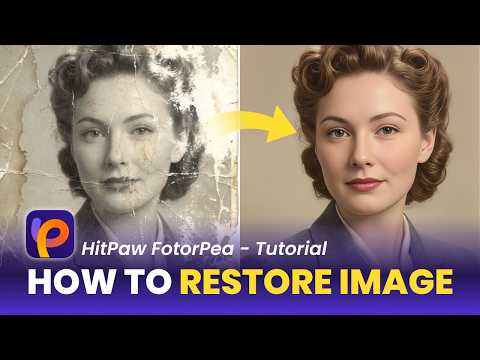
- 1:190:20Repair physical photo damage with HitPaw FotorPeaThe 'Single portrait damage repair' model is used to remove creases, scratches, and stains from scanned paper photos.HitPaw FotorPea· AI Photo Restoration
- 1:390:19Restore group photos with HitPaw FotorPeaCurrentThe 'Advanced multi-person restoration' feature is shown processing group shots to ensure multiple faces are clear and natural without over-processing.HitPaw FotorPea· AI Photo Restoration
- 1:580:13Colorize group photos with HitPaw FotorPeaThe 'Multi-person coloring' model is demonstrated applying consistent skin tones and colors to black and white group photographs.HitPaw FotorPea· AI Colorize
- Watch “Best AI Photo Restoration 2026 | How to Restore Old Photos with AI - HitPaw FotorPea Tutorial” →
AI Photo Restoration
 3:110:36Restore and colorize old photosThe tutorial walks through using the Repair and Colorize model in HitPaw FotorPea to remove scratches, fix stains, and add color to black and white historical photos.HitPaw
- 0:230:18General photo restoration with HitPaw FotorPeaThe video demonstrates the 'All-round restoration' model in HitPaw FotorPea to quickly enhance images containing both people and landscapes.HitPaw
- 0:410:16Restore and colorize faded photos with HitPaw FotorPeaThe 'Advanced restoration' model is shown automatically adding color and detail to black and white or heavily faded images.HitPaw
- 1:190:20Repair physical photo damage with HitPaw FotorPeaThe 'Single portrait damage repair' model is used to remove creases, scratches, and stains from scanned paper photos.HitPaw
- 1:390:19Restore group photos with HitPaw FotorPeaCurrentThe 'Advanced multi-person restoration' feature is shown processing group shots to ensure multiple faces are clear and natural without over-processing.HitPaw